

On this page
- Key takeaways
- What is the best WordPress firewall plugin?
- How is a plugin firewall different from a network firewall?
- Is Cloudflare’s free plan enough for WordPress?
- Does Patchstack replace a firewall?
- Do you need both Wordfence and Cloudflare?
- What the evidence does not say about the best WordPress firewall plugin
- Where to get help with WordPress firewall setup
- Frequently asked questions
The best WordPress firewall plugin depends on what you need to stop. Wordfence is the most widely installed full firewall and bundles a malware scanner, All-In-One Security is a free rule-based option, and Patchstack focuses on virtual patches for known vulnerabilities. Cloudflare’s firewall works at the network edge instead. This article compares both layers and who needs which.
If you would rather not manage this yourself, our website care and maintenance plans cover updates, monitoring and backups alongside whichever firewall you choose. The comparison below is compiled from official plugin directories and vendor documentation, current as of November 2026. Every firewall claim comes from a vendor, so read the numbers with that in mind.
Key takeaways
- Wordfence is the most installed firewall plugin (5+ million active installations per the WordPress.org directory) and runs inside WordPress.
- Free Wordfence gets firewall rules and malware signatures 30 days after Premium, according to the vendor.
- Patchstack says its free version does not include a firewall; virtual patching is a paid, per-site feature.
- Cloudflare’s Free plan has a limited WAF. The Cloudflare Managed Ruleset and OWASP Core Ruleset start on Pro.
- No independent block-rate test was found, so the choice rests on vendor documentation and your risk level.
What is the best WordPress firewall plugin?
For most small business sites, Wordfence is the default pick, because it combines a firewall, a malware scanner and login brute-force protection in one plugin. That is a judgment about fit, not a proven efficacy ranking.
According to its WordPress.org listing, Wordfence Security has 5+ million active installations and a 4.7/5 rating from 5,052 reviews. Version 9.1.1 is dated November 10, 2026. The vendor-authored description says it is an endpoint firewall that runs inside WordPress, so it has access to user login state and roles. Rules and signatures arrive through its Threat Defense Feed.
The free and Premium tiers differ in timing. The vendor says Premium gets real-time firewall rule and malware signature updates, while the free version is “delayed by 30 days.” The real-time IP blocklist and country blocking are Premium only. On support, the vendor says free users get forum (volunteer) support only.
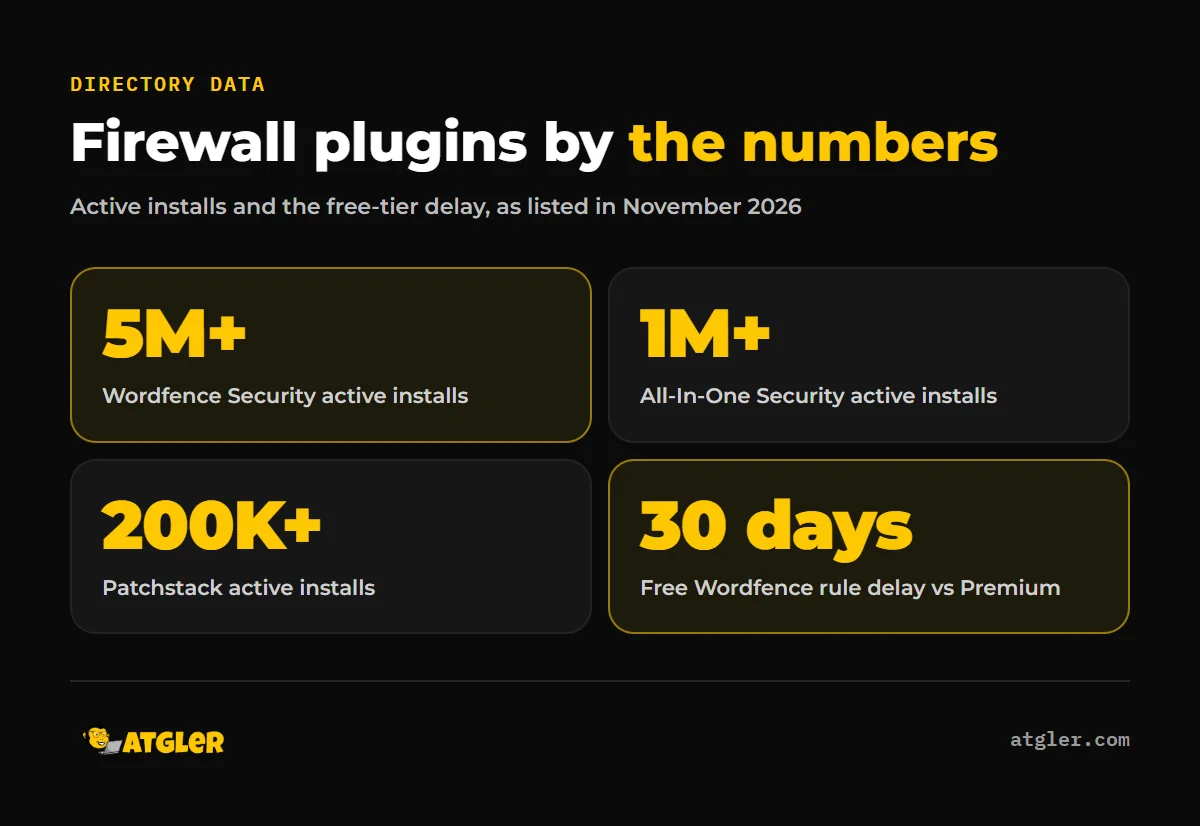
All-In-One Security (AIOS) is the main free alternative. Its listing shows 1+ million active installations, a 4.7/5 rating from 1,721 reviews, and version 5.5.1 dated October 30, 2026. Its firewall is rule-based. It adds .htaccess rules that block access to .htaccess, wp-config.php and debug.log, and PHP rules for known XML-RPC exploits and XSS. It also offers fake-Googlebot blocking, the 6G rule set from Perishable Press, IP and user-agent allow and block lists, and an option to disable REST API access for non-logged-in requests.
| Option | Layer | Directory data | What the vendor says it does |
|---|---|---|---|
| Wordfence Security | Plugin (endpoint) | 5+ million installs, 4.7/5 from 5,052 reviews | Firewall, malware scanner, login protection; free rules delayed 30 days |
| All-In-One Security | Plugin (rule-based) | 1+ million installs, 4.7/5 from 1,721 reviews | .htaccess and PHP rules, 6G rule set, IP and user-agent lists |
| Patchstack | Plugin plus virtual patching | 200,000+ installs, 4.8/5 from 62 reviews | Free version has no firewall; paid vPatching per site |
| Cloudflare WAF | Network (before WordPress) | Not a plugin | Inspects web and API requests against rulesets; features vary by plan |
For a wider look at the category beyond firewalls, see our comparison of the best WordPress security plugins.
How is a plugin firewall different from a network firewall?
A plugin firewall runs inside your WordPress install, while a network firewall such as Cloudflare’s filters requests before they reach your site.
Wordfence describes its advantage as context: because it runs inside WordPress, it knows who is logged in and what role they hold. Cloudflare describes its WAF differently. It inspects incoming web and API requests and filters them with rulesets, and rules match on request properties such as IP address, URL path, headers and body content.
So the two layers see different things. The plugin sees WordPress state. The network layer sees the raw request first. This is why the cloudflare vs wordfence question is usually framed wrongly. They are not direct substitutes, and a wordpress web application firewall can live at either layer.
Is Cloudflare’s free plan enough for WordPress?
For a basic small site, the Free plan gives you a useful first filter, but it is a limited one, and its WordPress-specific coverage is unclear.
According to Cloudflare’s documentation, the Free plan includes custom rules, one rate limiting rule, three response custom rules, leaked credentials detection on one field, and only the Free Managed Ruleset. Attack score, malicious uploads detection and payload logging are listed as not available on Free, and Security Events show sampled logs only.
By plan, Cloudflare lists the Cloudflare Managed Ruleset and the OWASP Core Ruleset as available on Pro, Business and Enterprise, but not Free. Sensitive Data Detection is Enterprise only.
Here is the part to check before you rely on it. Cloudflare says its Managed Ruleset is created by its security team and organized by tags, and it recommends enabling the rules tagged “wordpress” for WordPress sites. But the plan table puts that ruleset on Pro and above. Cloudflare’s pages do not state in one place whether free-plan sites get the WordPress-tagged rules. They likely do not, so confirm it in your own dashboard. We are not quoting Pro or Business pricing here because we could not confirm current figures.
Does Patchstack replace a firewall?
Not in the usual sense. Patchstack’s own directory FAQ says: “No, the free version does not include a firewall.”
Its model is virtual patching. Paid plans deploy virtual patches (vPatching) per site, and only when a specific vulnerability is detected on that site. Developer and Enterprise plans include vPatches for plugins and themes. On the free Personal plan, vPatching can be enabled for individual sites at $5 per site per month, and the Developer plan includes unlimited custom firewall rules. The listing shows 200,000+ active installations and a 4.8/5 rating from 62 reviews, with a last-modified date of November 16, 2026.
That makes it a targeted tool. It is aimed at known vulnerabilities in the plugins and themes you actually run, which is different from a general filter that scores every request. Both Wordfence and Patchstack frame their own approach as the one that matters, so weigh each description with that in mind.
Do you need both Wordfence and Cloudflare?
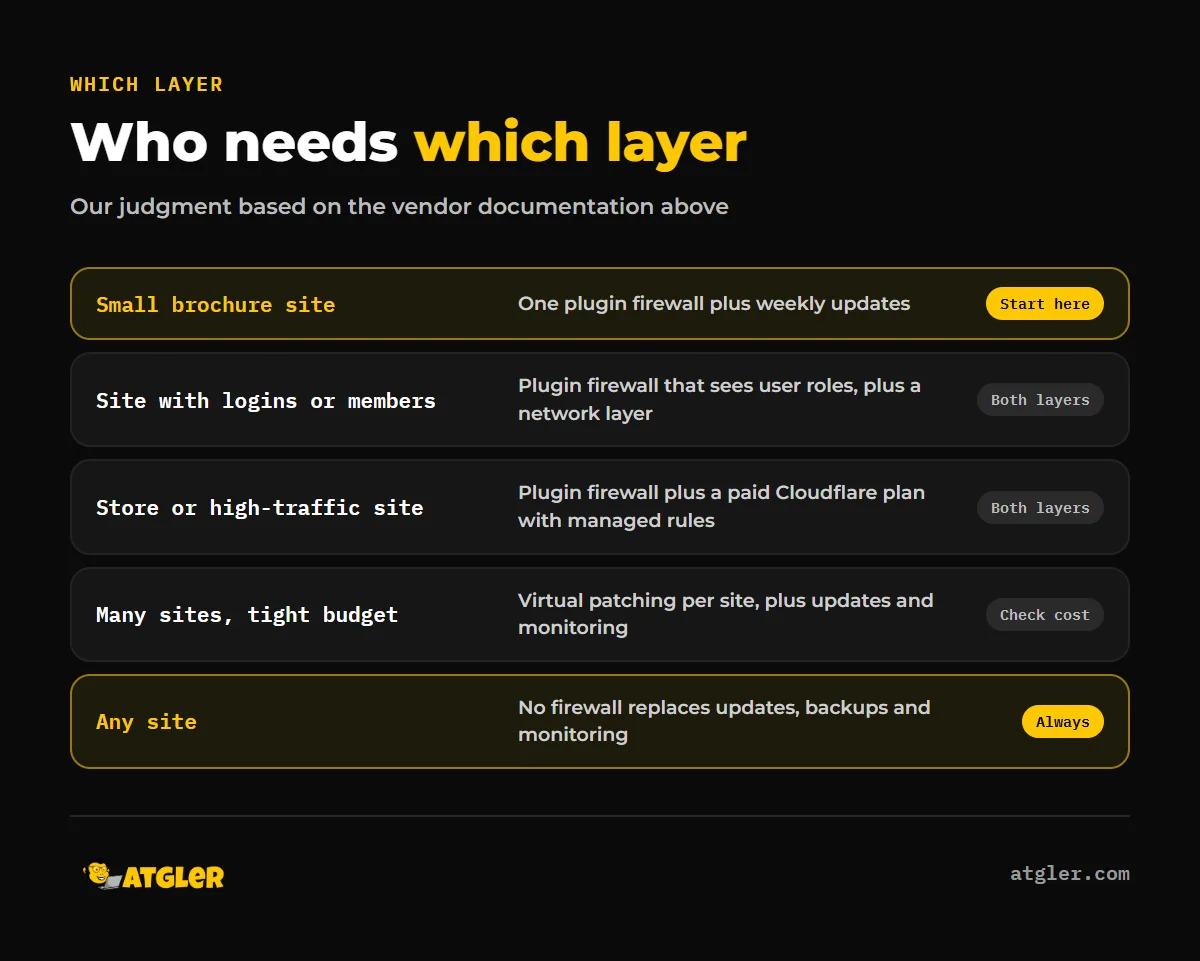
Not always. For a small brochure site, one plugin firewall plus disciplined updates covers the basics, and Cloudflare is an optional extra layer.
Our view, based on the documentation above: add a network layer when the site has logins, a store, or traffic you cannot afford to have disrupted, and treat the free Cloudflare plan as a modest filter rather than complete protection. We would run one firewall plugin, not several. The directory pages do not address conflicts between overlapping security plugins, so this is a cautious habit, not a sourced finding.
We have worked with WordPress for 7 years and have built, managed and maintained more than 600 sites. In cleanup work, the common causes we see are weak passwords, outdated or deprecated plugins and themes, file manager plugins and weak SSH credentials. A firewall helps with some of these, but none of them is fixed by a firewall alone. For that reason our maintenance covers weekly updates of plugins, themes and core, and uptime monitoring. It also includes a short monthly report. Our post on whether a security plugin alone stops attacks goes deeper, and the WordPress security statistics post covers how sites get hacked. Pick the firewall that fits the site, then keep the rest of the site updated and monitored.
What the evidence does not say about the best WordPress firewall plugin
The biggest limit is that every firewall claim here comes from a vendor or a vendor-written directory description.
- No independent test of block rates or head-to-head efficacy was found, so no plugin can be ranked on proven protection.
- Wordfence’s public listing does not say what an endpoint firewall cannot stop, such as traffic that never reaches PHP.
- We could not confirm exactly what Cloudflare’s Free Managed Ruleset covers.
- Nothing sourced here covers DDoS protection, caching or bot management at the network layer, or whether a security plugin slows a site down.
- No independent data was found on how many compromises come from plugin vulnerabilities versus brute force.
- The “tested up to” versions differ (Wordfence and AIOS list WordPress 7.1.4, Patchstack lists 7.0.8). That reflects release timing and is not evidence of incompatibility.
Where to get help with WordPress firewall setup
If you are unsure which layer your site needs, or you want someone to keep it configured and current, our website care and maintenance service handles weekly updates, uptime monitoring, backups and a monthly report. Plans start from $99 a month, month to month. If a site is already compromised, our hacked site repair is a separate flat-fee service.
Frequently asked questions
Is the free Wordfence firewall delayed?
According to the vendor’s directory description, yes. Premium gets real-time firewall rule and malware signature updates, while the free version is delayed by 30 days.
Is Cloudflare’s free plan a full WordPress firewall?
No. Cloudflare lists only the Free Managed Ruleset and limited custom and rate limiting rules on Free, while its Managed Ruleset and OWASP Core Ruleset start on Pro.
Do WordPress-specific Cloudflare rules need a paid plan?
The WordPress-tagged rules sit in the Cloudflare Managed Ruleset, which Cloudflare lists as a Pro, Business and Enterprise ruleset. Its pages do not state this in one place, so check your dashboard.
Does Patchstack include a firewall on the free plan?
Patchstack’s FAQ says the free version does not include a firewall. Virtual patching can be enabled per site for $5 per site per month on the free plan.
Can a plugin firewall stop DDoS attacks?
The plugin listings reviewed here do not claim DDoS protection, so we cannot say. Network-level DDoS handling is a separate question to ask a provider such as Cloudflare directly.
Sources
- WordPress.org: Wordfence Security plugin directory listing (read November 18, 2026; firewall and free vs Premium descriptions are vendor-reported)
- WordPress.org: Patchstack plugin directory listing (last modified November 16, 2026; FAQ and pricing are vendor-reported)
- WordPress.org: All-In-One Security (AIOS) plugin directory listing (version 5.5.1, October 30, 2026)
- Cloudflare: Web Application Firewall (WAF) documentation (November 17, 2026, vendor-reported)
- Cloudflare: Managed rules documentation (September 8, 2026, vendor-reported)
- Cloudflare: Cloudflare Managed Ruleset reference (November 17, 2026, vendor-reported)