
On this page
- Key takeaways
- How is Google Ads cost for small business set?
- Will Google charge me more than my daily budget?
- How much are Google Ads on average?
- What is a realistic Google Ads budget for a small business?
- How do you judge cost per lead for your business?
- Why is my cost per click higher than the benchmark?
- What do these Google Ads cost numbers not tell you?
- Should you get help with your Google Ads budget?
- Frequently asked questions
Google Ads cost for small business comes down to a budget you set and a per-click price set by auction. Google caps monthly charges at 30.4 times your average daily budget. A vendor-reported 2026 benchmark puts the average US search click at $5.42 and the average lead at $66.69.
This article covers how bids and budgets work, what the benchmarks say by industry, and how to turn a budget into expected leads. It also covers where the numbers stop being reliable. If you would rather have someone else manage the account, see Atgler’s Google Ads management service.
Key takeaways
- You set a budget and a maximum bid. The price you actually pay per click is often lower than your maximum, according to Google.
- Google says monthly charges will not exceed 30.4 times your average daily budget, even when a single day runs over.
- Vendor-reported benchmarks for US search campaigns show a $5.42 average CPC and a $66.69 average cost per lead, with wide gaps between industries.
- Google does not publish a recommended small business budget, so any starting figure is planning arithmetic, not a rule.
How is Google Ads cost for small business set?
Your cost is set by two controls and one outside force: your daily budget, your maximum bid, and what the auction requires to hold your ad position.
Google’s help page “Choose your bid and budget” describes the max CPC bid as “the most you’re willing to pay for a click on your ad.” What you are charged is the actual CPC. Google says it is often lower than your max, because you pay only what is needed to hold your position.
A budget, in Google’s words, “establishes a spending limit for an individual campaign.” So the bid controls the price of each click and the budget controls how much the campaign can spend overall.
If you want to understand how bidding approaches differ on small accounts, see our post on smart bidding vs manual bidding.
Will Google charge me more than my daily budget?
On a given day, yes, Google can spend more than your daily budget, but it will not bill you past the monthly limit.
According to Google’s documentation on average daily budgets, the average daily budget is “the average amount that you set for each ad campaign on a per-day basis.” The daily spending limit is “two times your average daily budget for most campaigns,” and the monthly limit is “30.4 times your average daily budget for most campaigns.”
Google’s overdelivery page adds that served costs “may exceed your daily or monthly spending limits,” but “you’ll never actually pay more than your spending limits.” It also says that at the end of the month you will have spent no more than 30.4 times your average daily budget.
Note the phrase “for most campaigns.” Google’s wording leaves room for exceptions, so check your own account’s settings.
How much are Google Ads on average?
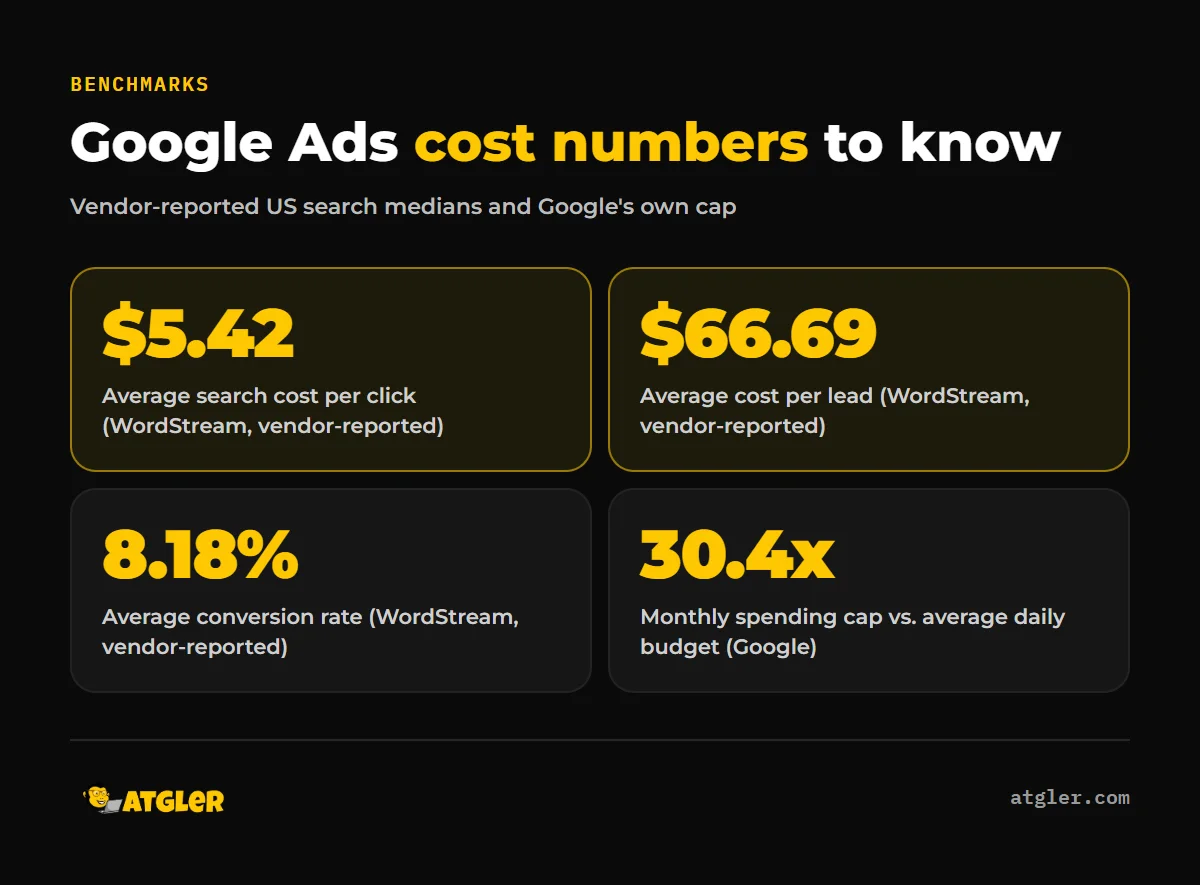
According to WordStream by LocaliQ’s 2026 benchmarks, as summarized by PPC Land and Search Engine Journal, the average search CPC is $5.42 and the average cost per lead is $66.69. This is vendor-reported data, and Google itself does not publish industry CPC figures.
PPC Land reports the data covers 13,474 US search campaigns from April 1, 2025 to March 31, 2026, using median values. WordStream’s report was published May 19, 2026. PPC Land says this is the first decline in average CPL in five years. The same sources report a 8.18% conversion rate and a 6.64% click-through rate.
Industry matters a lot. These are the figures available from the PPC Land summary:
| Industry | Average CPC | Average CPL | Conversion rate |
|---|---|---|---|
| All industries | $5.42 | $66.69 | 8.18% |
| Arts & Entertainment | $1.63 | $26.84 | Not reported here |
| Attorneys & Legal Services | $9.87 | $131.63 | Not reported here |
| Furniture | Not reported here | $106.70 | Not reported here |
| Real Estate | Not reported here | $102.51 | Not reported here |
| Finance & Insurance | Not reported here | $74.44 | 2.64% |
| Animals & Pets | Not reported here | Not reported here | 16.22% |
The spread is the point. A click in legal services costs about six times a click in arts and entertainment, and a lead costs about five times as much. If your industry sits near the top, a generic average will understate your costs, and that is a benchmark, not a prediction for your account.
What is a realistic Google Ads budget for a small business?
Google does not publish a minimum or recommended budget for small businesses, so a realistic starting budget has to come from arithmetic using your own numbers.
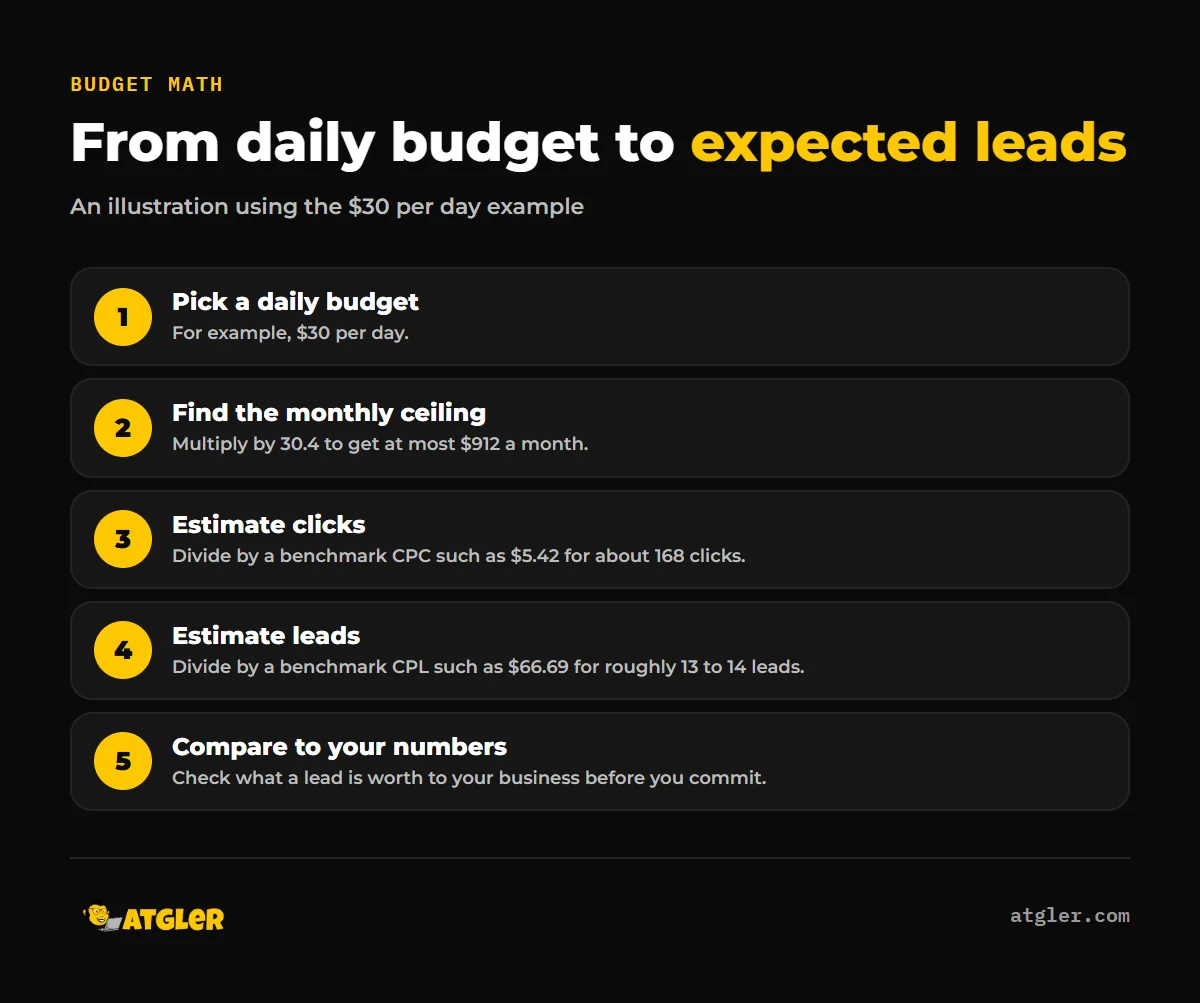
The method follows from Google’s rules. An average daily budget of $X means at most 30.4 times X per month. Divide that ceiling by a benchmark CPC to estimate clicks, and by a benchmark CPL to estimate leads.
| Monthly spend | Clicks at $5.42 CPC | Leads at $66.69 CPL |
|---|---|---|
| $500 | About 92 | About 7 to 8 |
| $912 ($30 per day) | About 168 | About 13 to 14 |
| $1,000 | About 184 | About 15 |
Treat these as a way to see how little volume a small budget buys, not as a promise. A $500 month at the all-industry average produces fewer than ten leads, which is a small sample to learn from. In an industry with a $131.63 CPL, the same $500 buys fewer than four. These numbers are an illustration of the method, not a forecast.
How do you judge cost per lead for your business?
Judge cost per lead against what a lead is worth to you, not against a benchmark alone.
- Work out what a customer is worth: the average sale or job value, and the margin on it.
- Estimate how many leads become customers. Your own sales history is more useful than any industry figure.
- Divide: the most you can pay per lead is roughly your margin per customer multiplied by your close rate.
- Compare that ceiling to your actual CPL in the account, and to the benchmark for your industry.
The benchmarks are also internally linked. CPC divided by conversion rate roughly gives CPL: $5.42 divided by 8.18% comes to about $66, close to the reported $66.69. The figures are medians, so they will not match exactly. It does show that a better conversion rate lowers your cost per lead without changing the price of a click.
That is why the website matters as much as the ad. A page that turns more clicks into inquiries cuts CPL directly.
Why is my cost per click higher than the benchmark?
Your CPC can run above the average for several reasons, and the benchmark data cannot tell you which one applies to you.
- Your industry. The reported CPC ranges from $1.63 to $9.87 depending on the industry, so an average of $5.42 may not describe your market at all.
- The auction. Google says you pay what is needed to hold your position, so competitive searches cost more.
- Ad and page quality. Our post on Google Ads Quality Score explains what that score does and does not do.
A higher CPC is not automatically a problem. If your conversion rate is strong, a pricey click can still produce an affordable lead.
What do these Google Ads cost numbers not tell you?
They do not tell you what your campaign will cost, and several limits are worth knowing.
- The benchmarks are medians from US campaigns run through one vendor platform. WordStream and LocaliQ sell ad management, which is a possible commercial bias and a sample-selection risk.
- We could not open WordStream’s original report. The figures come from PPC Land and Search Engine Journal, and the two differ on how many industries the report covers (23 versus 20).
- Other third-party sources report different CPC figures from different datasets, so avoid mixing sources.
- Google publishes no industry CPC averages and no recommended small business budget.
- The benchmarks do not show how long it takes a campaign to produce results, or how bid strategies change cost.
Should you get help with your Google Ads budget?
If you are unsure how much to spend, or you have been spending without a clear cost per lead, a second opinion on the setup can save money. Atgler has worked with WordPress for 7 years and has built, managed and maintained more than 600 sites, so we look at the landing page as well as the ads. Our Google Ads management plans are $499, $999 or $1,999 a month, billed separately from ad spend. If you are weighing it up, read whether to run Google Ads yourself or hire it out, or contact us with your industry and budget.
Frequently asked questions
Do I pay every time someone sees my ad?
Google’s bidding documentation describes a maximum cost-per-click bid and an actual CPC, meaning you pay when someone clicks. Other bidding options exist, so confirm your campaign’s setting.
Can I set a very low daily budget?
Google’s documentation gives no minimum in the pages we reviewed. A low budget does limit the clicks and leads you can collect, which makes it slow to learn what works.
Is $5.42 what I will pay per click?
Not necessarily. It is a vendor-reported median across US search campaigns, and industry averages ranged from $1.63 to $9.87 in the same data.
What is a good cost per lead?
It depends on what a lead is worth to you. The reported all-industry average is $66.69, with industries running from $26.84 to $131.63.
How many leads will $1,000 a month get me?
At the $66.69 benchmark, the arithmetic gives about 15 leads. That is an illustration, and your real number depends on your industry, competition and website.
Sources
- Google: Google Ads Help, About average daily budgets (no update date shown, accessed November 18, 2026)
- Google: Google Ads Help, About overdelivery and your average daily budget (no update date shown, accessed November 18, 2026)
- Google: Google Ads Help, Choose your bid and budget (no update date shown, accessed November 18, 2026)
- PPC Land: Google Ads CPL drops for first time since 2020 as CPC hits $5.42 (June 29, 2026, summarizing WordStream’s May 19, 2026 report, vendor-reported)
- Search Engine Journal: What are good Google Ads benchmarks (updated June 16, 2026, WordStream by LocaliQ data, vendor-reported)