
On this page
- Key takeaways
- What should a WordPress backup plugin actually back up?
- How do the main WordPress backup plugins compare?
- UpdraftPlus vs BackWPup: which free version goes further?
- Is the free Duplicator plugin enough for automatic backups?
- Where do Jetpack VaultPress Backup and host backups fit?
- Why do scheduled WordPress backups silently stop?
- How do you know your backup plugin is actually working?
- What the evidence does not tell you
- Need someone to watch your backups?
- Frequently asked questions
The best wordpress backup plugins all copy your database and files to a second location, but they differ in where copies are stored, how restores work and which features sit behind a paid plan. The bigger risk is not which plugin you pick. It is a scheduled backup that quietly stops while the dashboard still looks fine.
This comparison covers UpdraftPlus, BackWPup, Duplicator and Jetpack VaultPress Backup, then explains why scheduled jobs fail and how to catch it. If you would rather have someone watch this for you, our website care and maintenance service includes backups and a monthly report. The comparison is compiled from official directories and vendor documentation, current as of November 2026.
Key takeaways
- UpdraftPlus’s free version offers the widest free choice of cloud destinations and scheduled backups. Multiple locations and pre-update backups are paid.
- BackWPup’s free restore only works for backups you upload manually. Direct restore from cloud storage needs Pro.
- Duplicator’s free plugin does not schedule backups. Scheduling and failure email alerts are Pro-only.
- Scheduled backups depend on WP-Cron, which only fires when someone visits the site, so low-traffic sites can miss runs.
What should a WordPress backup plugin actually back up?
A backup should cover both parts of a WordPress site: the database and the files. That is the guidance in the official WordPress.org Backups handbook, which says a site has these two parts to protect.
The same handbook says small sites should back up weekly and busy sites daily, and always before an upgrade. It also says to keep at least three to five recent backups, and to keep them in different places. Those four checks (what, how often, how many, where) are the yardstick for the plugins below.
How do the main WordPress backup plugins compare?
The table summarizes what each plugin’s own directory page and vendor pages say. Prices are vendor-reported and change often, so confirm them before buying.
| Plugin | Backs up | Free storage | Free restore | Paid entry price (vendor-reported) |
|---|---|---|---|---|
| UpdraftPlus | Database, plugins, themes, other files | Dropbox, Google Drive, S3 and compatible, Rackspace, FTP, DreamObjects, OpenStack Swift, email | Three clicks, choose components | $70/year, 2 sites, 1GB UpdraftVault |
| BackWPup | Full site, database only or files only | Local server, Dropbox, FTP, Azure, S3 and compatible, SugarSync, Rackspace | Only for backups you upload manually | $29/year, 2 domains (Black Friday price) |
| Duplicator | Site backups and migration | Local folders and Duplicator Cloud | One-click from the dashboard | $79, 2 sites (“Normally” price, period not stated) |
| Jetpack VaultPress Backup | Real-time, off-site copy | No free automated backups | Not applicable | Pro at ₹20,832/year (India view) |
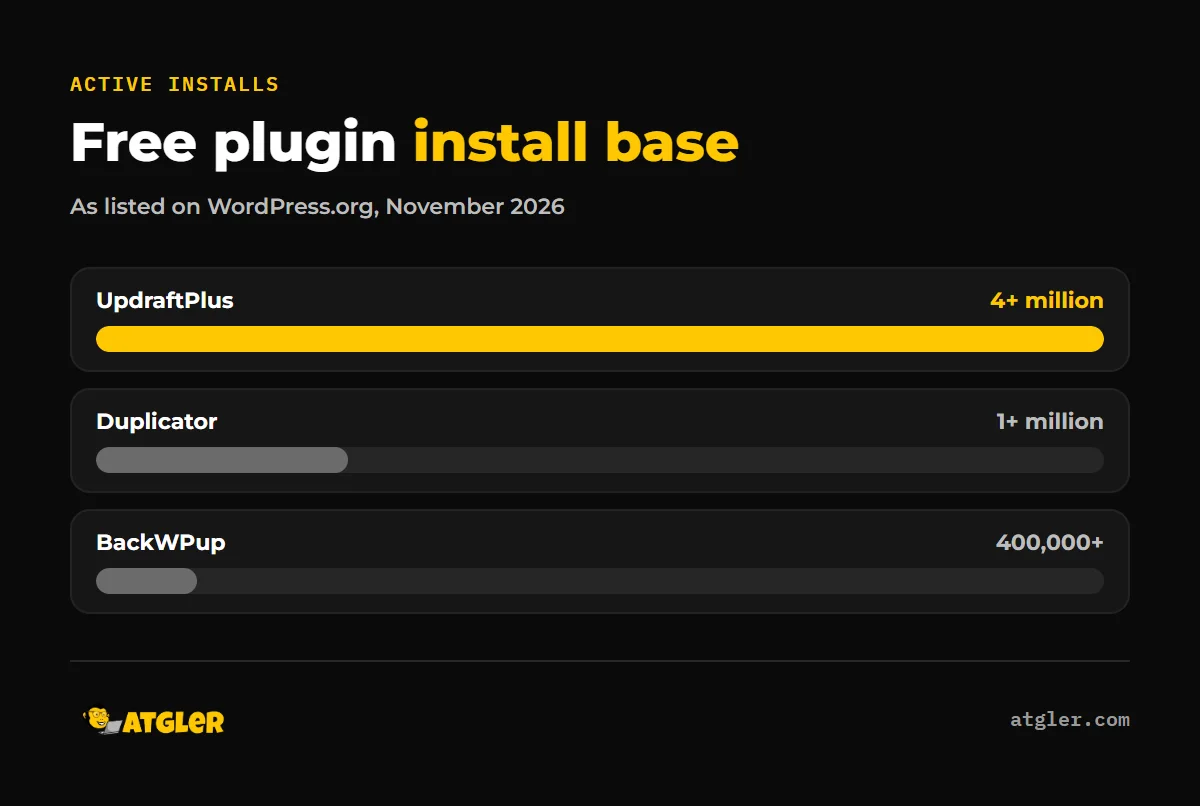
On popularity, the WordPress.org directory lists UpdraftPlus at 4+ million active installations, Duplicator at 1+ million and BackWPup at 400,000+. UpdraftPlus lists the largest install base of the three, followed by Duplicator and then BackWPup.
UpdraftPlus vs BackWPup: which free version goes further?
In the UpdraftPlus vs BackWPup comparison, UpdraftPlus is the more complete free plugin on scheduling and restore. BackWPup is stronger if you want a database-only or files-only job, and it supports multisite for free.
UpdraftPlus
The directory lists a 4.8/5 rating from about 8,700 reviews and a last update of October 26, 2026 (v1.26.14). Free runs can be manual or scheduled every 2, 4, 8 or 12 hours, or daily, weekly, fortnightly or monthly. The directory lists 4+ million active installs.
Premium-only features include incremental backups, backups at set times, backups to more than one location, automatic backups before updates, multisite, and destinations such as OneDrive, Azure, Google Cloud, Backblaze B2, SFTP and pCloud. The vendor pricing page lists Personal at $70/year, Business at $95, Agency at $145, Enterprise at $195 and Gold at $399 (with 50GB). It shows “$” with a currency selector but does not name the currency.
BackWPup
The directory lists a 4/5 rating from 1,323 reviews, 295 of them one-star, and an October 14, 2026 update (v5.7.8). It lists 400,000+ active installs.
The big free limitation is restore. Pro adds direct restore from cloud storage, a standalone restore app that works when WordPress is down, encryption, and Google Drive, OneDrive, Glacier and HiDrive destinations. Vendor-reported Pro prices are $29, $59 and $119 a year, shown as 40% Black Friday prices valid until November 27, 2026. The original prices are $49, $99 and $199.
Is the free Duplicator plugin enough for automatic backups?
No. Duplicator’s free plugin can create backups, store them locally or in Duplicator Cloud, and restore in one click, but scheduled backups are Pro-only according to its directory page. A free plugin is not automatic here.
The directory lists 1+ million installs, a 4.9/5 rating from about 4,941 reviews, and a last modification on November 3, 2026. Pro adds hourly, daily, weekly and monthly schedules, email alerts when a scheduled backup fails, multisite, and Dropbox, Google Drive, OneDrive, S3 and FTP/SFTP destinations.
The vendor pricing page lists “Normally” prices of $79 (Basic, 2 sites), $199 (Plus, 5 sites), $399 (Pro, 20 sites) and $599 (Elite, 100 sites). It does not state the billing period, and its own footnote says renewals are at full price. Separate Duplicator Cloud storage is billed yearly, from 2GB at $29 to 150GB at $199. One 1-star reviewer says they were pushed to Pro during a restore. That is a single unverified review, but check what your restore path needs before relying on the free version.
Where do Jetpack VaultPress Backup and host backups fit?
Jetpack’s directory page describes VaultPress Backup as real-time, with an off-site copy and one-click restore to any point in time. It is sold standalone or inside Jetpack Pro and Complete, and the free plan has no automated backups.
Pricing and storage vary by plan. The directory says storage starts at 10 GB, and the vendor’s plan page lists 50 GB for Pro and 1 TB for Complete. Prices change often, so check the current US price on the vendor’s site before you buy.
We did not review host-level backups, so we cannot say how any given host stores or restores them. If you rely on one, ask where the copies live and whether you can download them yourself.
Why do scheduled WordPress backups silently stop?
Most scheduled backups run on WP-Cron, and the WordPress Plugin Handbook says it “does not run constantly as the system cron does; it is only triggered on page load.” If a task is due at 2:00PM and no one visits until 5:00PM, it runs late. Overdue tasks queue for the next page load.
BackWPup’s own FAQ says the same: a low-traffic site can miss scheduled jobs. Its fix is a server-side cron job that calls wp-cron.php. Its test is to schedule a post about 10 minutes ahead. If it has not published after 11 minutes or more, WP-Cron is not working.
A 2018 WordPress.org support thread about XCloner shows what this looks like to a user: scheduled Google Drive backups running only occasionally, all system checks green and no error shown. It is old and anecdotal, and it was closed without a reproduction, but the pattern is real.
We have seen a related failure ourselves. Atgler has worked with WordPress for 7 years and has built, managed and maintained more than 600 sites. In one case, a backup plugin silently disconnected, and that stopped both backups and downtime alerts. The site was found hacked later. A backup that has quietly stopped is worse than none, because you believe you are covered.
How do you know your backup plugin is actually working?
Check the files, not the plugin. The WordPress.org handbook says it is “highly recommended that you back up those auto backups with a manual backup once in a while to guarantee that the process is working.” It does not explicitly recommend test restores, but a restore test is the only way to prove a backup is usable.
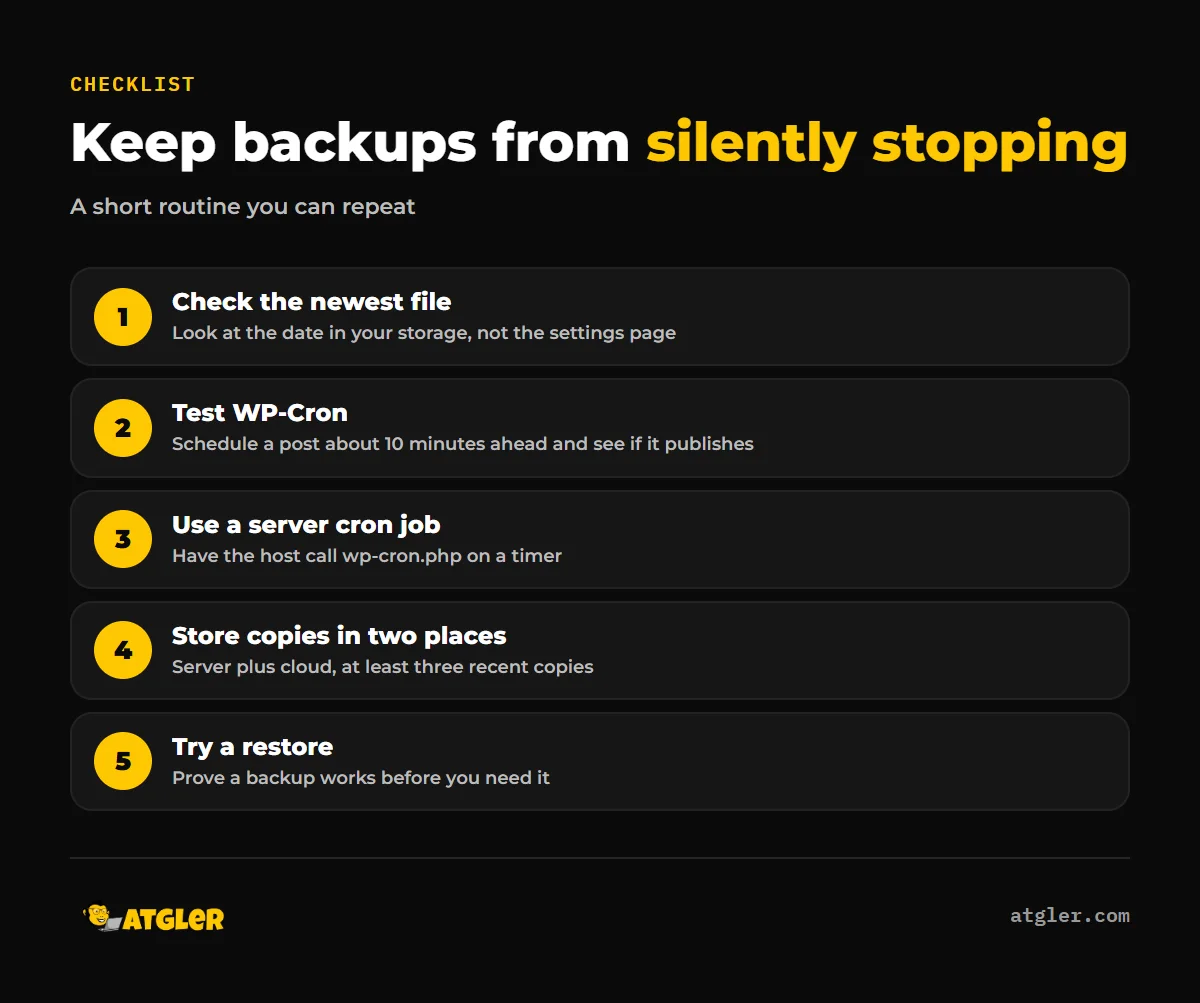
- Look at the date of the newest backup file in your storage and compare it with your schedule.
- Run the scheduled-post test to see whether WP-Cron fires on your site.
- If it is unreliable, ask your host to run wp-cron.php from a server cron job.
- Keep copies in two places, such as the server and cloud storage.
- Restore a copy to a staging site now and then.
Do not trust a green status light alone. Check the date of the newest backup file in your storage, not the plugin’s settings page.
What the evidence does not tell you
All pricing, feature and storage claims here come from the vendors, and their pages are also sales pages. We found no independent test comparing these plugins, so we do not cite one.
No vendor or study we found publishes how often scheduled backups silently fail. We also could not confirm failure alerting for UpdraftPlus’s free version or for Jetpack. Only Duplicator Pro’s failure emails are confirmed on a source page. Plugins such as BlogVault, Solid Backups and WPvivid were outside this comparison.
Need someone to watch your backups?
If checking backup dates and cron jobs is not how you want to spend your time, our website care plans start at $99 a month, month to month. They include weekly plugin, theme and core updates, uptime monitoring and a short monthly report with backup data, using our own in-house tool. For the update side, see our WordPress update checklist.
If a site is already compromised, start with what to do when your WordPress site is hacked or our hacked site repair service. Restoring a site exactly as it was is not always possible, for example when data was deleted or a database is lost. That is why a working, recent backup matters.
Frequently asked questions
Is the free version of UpdraftPlus enough?
For many small sites, yes. It offers scheduled backups and several cloud destinations. Backups to more than one location and automatic backups before updates need a paid plan.
How often should I back up a WordPress site?
The WordPress.org handbook says weekly for small sites and daily for busy ones, and always before an upgrade. It also says to keep at least three recent copies in different places.
Will I be told if a backup fails?
It depends on the plugin. Duplicator Pro lists email alerts for failed scheduled backups. We could not confirm failure alerts for the free versions of UpdraftPlus or BackWPup, or for Jetpack, so check your own settings.
Can I restore if WordPress is down?
BackWPup Pro lists a standalone restore app that works when WordPress is down. For other plugins, check this before you need it.
Sources
- WordPress.org: UpdraftPlus plugin page (last updated October 26, 2026)
- TeamUpdraft: UpdraftPlus pricing (read November 11, 2026, vendor-reported)
- WordPress.org: BackWPup plugin page (last updated October 14, 2026)
- BackWPup: My backup jobs don’t seem to run as scheduled (undated, vendor-reported)
- WordPress.org: Duplicator plugin page (last modified November 3, 2026)
- Duplicator: Pricing (read November 11, 2026, vendor-reported)
- Jetpack: Pricing (read November 11, 2026, vendor-reported, India view)
- WordPress.org: Advanced Administration Handbook, Backups (last modified October 28, 2026)
- WordPress.org: Plugin Handbook, Cron (last modified December 14, 2023)
- WordPress.org Support Forum: Scheduled backups do not run (XCloner) (February 19, 2018, anecdotal)