
On this page
- What is the fastest way to fix a WordPress white screen of death?
- How do I find the real error with WordPress debug mode?
- How do I fix a plugin or theme conflict without wp-admin?
- Is the memory limit or PHP version behind the blank page?
- How does WordPress recovery mode work?
- What the evidence does not tell you
- When should you get help with a WordPress white screen of death?
- Frequently asked questions
A WordPress white screen of death is a blank page that can be caused by a PHP or database error WordPress cannot display. Work through it in order: read the error log, isolate plugins and themes, then check memory and PHP version. This guide covers each step, including recovery mode and when to call for help.
If your site is down right now and you would rather have someone else handle it, Atgler offers emergency WordPress support at $99 per hour with no retainer. If you want to try it yourself first, start below.
What is the fastest way to fix a WordPress white screen of death?
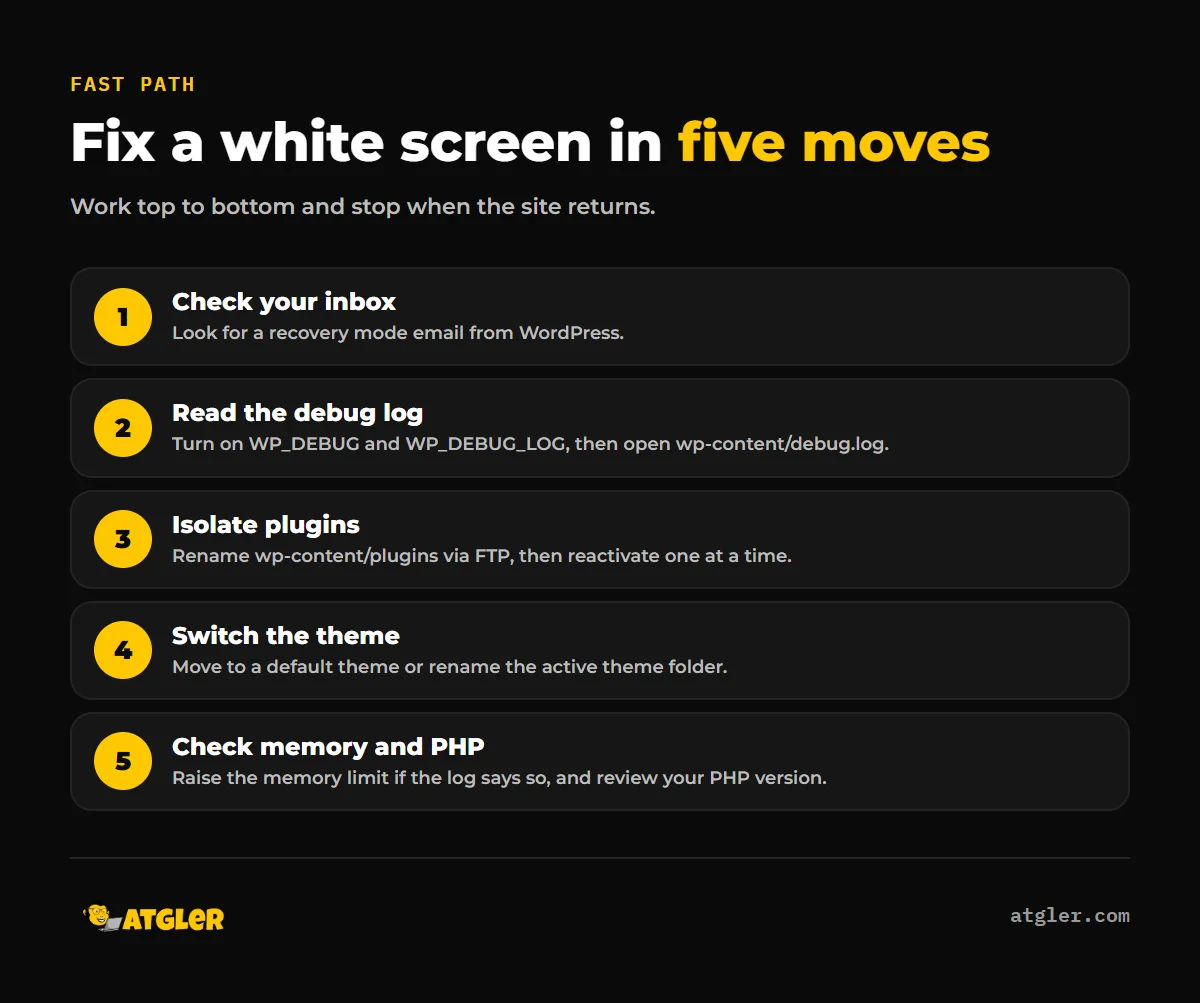
Follow five actions in order and stop as soon as the site comes back. The WordPress developer documentation says “Both PHP errors and database errors can manifest as a white screen,” so a blank page has more than one possible source, and the first job is finding which one you have.
- Check your inbox. Since WordPress 5.2, a fatal error sends the admin email a recovery mode link (more on this below).
- Turn on debug mode and read the log. Enable WP_DEBUG and WP_DEBUG_LOG, then open wp-content/debug.log.
- Deactivate all plugins. If you cannot reach wp-admin, rename the wp-content/plugins folder over FTP.
- Switch to a default theme. Activate one, or rename the active theme’s folder over FTP.
- Check memory and PHP version. Raise the memory limit only if the log points to it, and review the PHP version your host runs.
One caution before you start. A leftover .maintenance file after an upgrade shows “Briefly unavailable for scheduled maintenance. Please check back in a minute.” That is not a true WSOD in WordPress terms, but it is easy to confuse with a blank screen.
How do I find the real error with WordPress debug mode?
Turn on WordPress debug mode in wp-config.php and let it write errors to a file instead of the page. According to WordPress Developer Resources, WP_DEBUG is a PHP constant that triggers debug mode and defaults to false. WP_DEBUG_LOG saves errors to a debug.log file, “usually wp-content/debug.log”, and only works if WP_DEBUG is enabled.
The third constant protects your visitors. WP_DEBUG_DISPLAY controls whether messages show in the page HTML. It defaults to true, and setting it to false hides errors from the screen while the log still fills.
So the safe setup is three lines in wp-config.php: define( ‘WP_DEBUG’, true ); then define( ‘WP_DEBUG_LOG’, true ); then define( ‘WP_DEBUG_DISPLAY’, false );. Reload the broken page, then open the log over FTP or your host’s file manager.
Look for the last “Fatal error” line. It usually names a file path, and that path tells you whether the culprit sits in a plugin folder, a theme folder or WordPress core. Remember to turn debugging off once you are done.
If errors still do not appear in development, the wp-config documentation says you may need to set WP_DISABLE_FATAL_ERROR_HANDLER to see WP_DEBUG_DISPLAY output.
How do I fix a plugin or theme conflict without wp-admin?
Use FTP or your host’s file manager to take the plugins and then the theme out of the picture. This is the step that resolves a wordpress white screen after update in most hands-on troubleshooting, though no study we found measures how often.
Plugins
The WordPress documentation says to deactivate all plugins and reactivate them one at a time. If you cannot get into the admin screens, rename the wp-content/plugins folder over FTP. WordPress then treats every plugin as deactivated.
If the site loads, rename the folder back and reactivate plugins individually until the blank page returns. The last one you turned on is the cause. If the debug log already named a plugin path, start there.
Theme
The same documentation says “Your Theme may be causing the problem,” especially after activating a new theme. Switch to a default theme such as Twenty Twenty-One, or rename the active theme’s folder over FTP so WordPress falls back to a default.
That page names Twenty Twenty-One for WordPress 5.8 and below because “the Twenty Twenty-Two theme requires 5.9 and above.” Newer default themes exist, so on a current install use whichever default theme is present, as long as it matches your WordPress version.
In Atgler’s maintenance work, a plugin or theme that does not support the latest PHP or WordPress version is the most common cause of layout or function problems after an update. That is an observation from managing sites, not a published prevalence figure. If a theme is the broken piece, we do not patch it again and again; we advise rebuilding.
Is the memory limit or PHP version behind the blank page?
Only if your log says so. The WordPress common-errors page does not list memory exhaustion in its White Screen of Death section. It appears under a separate “Allowed memory size exhausted” error, which “means that your WordPress installation doesn’t have enough memory.”
Many host guides put memory near the top of the list. We could not verify that against an independent source, so treat it as a check, not a default assumption. If the debug log shows the memory message, raise the limit in wp-config.php, or in php.ini, which may require asking your host.
| Setting | What it does | Example in the docs |
|---|---|---|
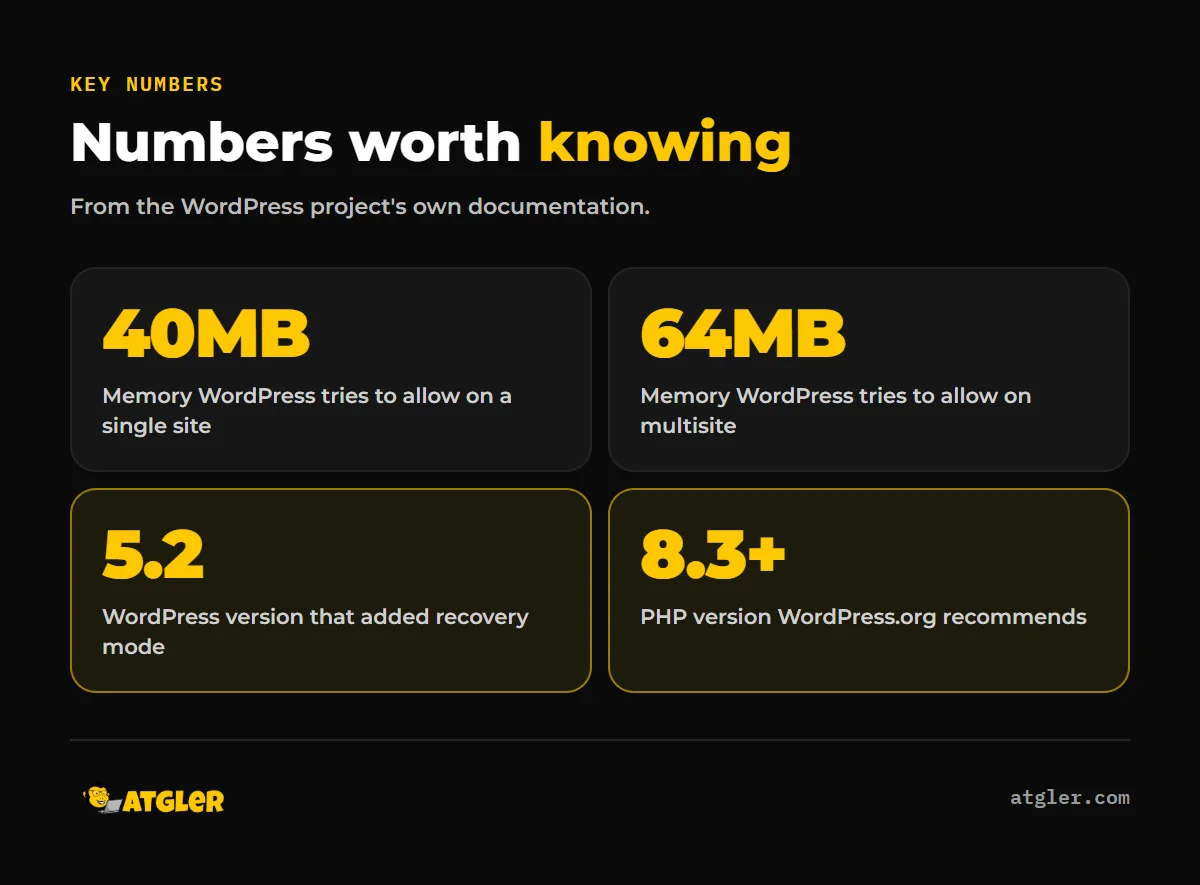
| WP_MEMORY_LIMIT | Maximum memory PHP can use for WordPress. WordPress tries to raise it to 40MB on single sites and 64MB on multisite. | define( ‘WP_MEMORY_LIMIT’, ’64M’ ); |
| WP_MAX_MEMORY_LIMIT | Limit for the admin area. Must be placed before wp-settings.php is included. | ‘128M’ |
| php.ini | Server-level setting, which may require your host. | No value given |
WordPress documentation gives no recommended memory value for fixing a white screen, only the defaults above and the example values 64M and 128M.
What PHP version should I run?
WordPress.org recommends “PHP version 8.3 or greater,” plus MariaDB 10.11 or greater or MySQL 8.0 or greater. It lists PHP 7.4+ and MySQL 5.5.5+ as legacy minimums that “have reached their official End Of Life” and may expose a site to security vulnerabilities.
If the blank page appeared right after a host changed your PHP version, an older plugin or theme may not support it. Check the debug log first, then ask the plugin or theme developer about compatibility rather than rolling PHP back to an end-of-life release. Our WordPress update checklist covers how to test updates before they break a live site.
How does WordPress recovery mode work?
Recovery mode lets you pause the broken extension and log in without touching FTP. According to the Make WordPress Core post by Felix Arntz (April 16, 2019), since WordPress 5.2 the admin and super-admin emails receive a message with a “secret link” when a fatal error occurs.
The link places a cookie on your browser, and the extensions causing the fatal error “are paused for that client.” Other visitors still see the broken site until it is fixed. In recovery mode you can see which extensions are paused and why, and you can fully deactivate them.
If no email arrives, there are a few possible reasons. The fatal error handler can be turned off with the WP_DISABLE_FATAL_ERROR_HANDLER constant, so check wp-config.php for it. Email delivery from your server may also be failing. We could not find an official page listing every situation where the handler does not fire, or one stating how long the link stays valid, so do not count on it. Use the FTP method above if the email never shows up.
What the evidence does not tell you
Everything above comes from the WordPress project’s own documentation. That makes it authoritative, but it is one publisher, not independent research, and the pages were last updated October 14, 2026.
- No study with a stated method tells us how common each cause is, so any claim about the “number one cause” is unverified.
- The official pages do not recommend a specific memory value for a white screen.
- The recovery-mode link’s validity period and the exact conditions that stop the handler from firing are not stated in the official WordPress.org recovery mode documentation.
- If only the front end or only the admin is blank, the official pages do not treat that as a separate problem, but the debug log still points to the cause.
When should you get help with a WordPress white screen of death?
Call for help when the log is unreadable, the fix needs server access you do not have, or every minute of downtime costs you customers. A developer can read the log, isolate the conflict and confirm the site works afterward, usually faster than guessing. Atgler’s Emergency Dev Hours exist for exactly this: $99 per hour, no retainer, and you pay for the time used.
Atgler has worked with WordPress for 7 years and has built, managed and maintained more than 600 sites. To avoid repeat outages, our website care plans include weekly updates, uptime monitoring and a check that the site works after each update. If the blank page might be a symptom of something worse, see what to do if your WordPress site got hacked. And if you have been skipping updates, here is what happens when WordPress is never maintained.
Frequently asked questions
Why is my WordPress site a blank white page with no error message?
WordPress hides errors from visitors by default, and WP_DEBUG_DISPLAY can hide them even when debugging is on. Enable WP_DEBUG_LOG and read wp-content/debug.log to see what failed.
How do I turn on debug mode without showing errors to visitors?
Set WP_DEBUG and WP_DEBUG_LOG to true and WP_DEBUG_DISPLAY to false in wp-config.php. Errors then go to the log file instead of the page.
How do I deactivate all plugins if I cannot log in?
Connect over FTP or your host’s file manager and rename the wp-content/plugins folder. WordPress will treat every plugin as deactivated until you rename it back.
Why did I not get a recovery mode email?
The email goes to the admin address, and the fatal error handler can be disabled with WP_DISABLE_FATAL_ERROR_HANDLER. Check wp-config.php for that constant and confirm your site can send email.
The page says “Briefly unavailable for scheduled maintenance.” Is that a white screen?
No, it is a different symptom. Delete the leftover .maintenance file from the site root over FTP.
Sources
- WordPress Developer Resources: Common WordPress Errors (last updated October 14, 2026)
- WordPress Developer Resources: Debugging in WordPress (last modified October 14, 2026)
- WordPress Developer Resources: Editing wp-config.php (last updated October 14, 2026)
- Make WordPress Core: Fatal Error Recovery Mode in 5.2 (April 16, 2019)
- WordPress.org: WordPress Requirements (last modified May 7, 2026)