
On this page
- Key takeaways
- What does WordPress speed optimization include?
- How much does WordPress speed optimization cost?
- Is a caching plugin enough, or do you also need better hosting?
- How do you verify core web vitals optimization worked?
- What the evidence does not tell you
- What should you ask a provider before paying?
- Where can you get help with WordPress speed optimization?
- Frequently asked questions
WordPress speed optimization is a set of fixes across hosting, caching, images, scripts and the database that makes pages load and respond faster. One-off jobs from vendors that publish prices run from roughly $237 to about $1,000, and recurring plans start around $69 a month. The only reliable proof is a before and after comparison of PageSpeed Insights data.
This article explains what a job actually covers, what the published prices look like, and how to check the results yourself. If you would rather hand it off, our site optimization service covers this work.
Key takeaways
- A real job touches several layers: hosting and PHP, caching, images, scripts and plugins, and the database. A caching plugin alone is one piece.
- Published prices are all vendor-reported. Seahawk Media quotes about $237 to $474 for a one-off job, with Core Web Vitals work estimated separately.
- Google’s Core Web Vitals “good” targets are LCP of 2.5 seconds or less, INP of 200 ms or less and CLS of 0.1 or less.
- Save PageSpeed Insights lab and field data before any work starts. Field data takes about 28 days to reflect changes.
- No honest provider can guarantee a specific score.
What does WordPress speed optimization include?
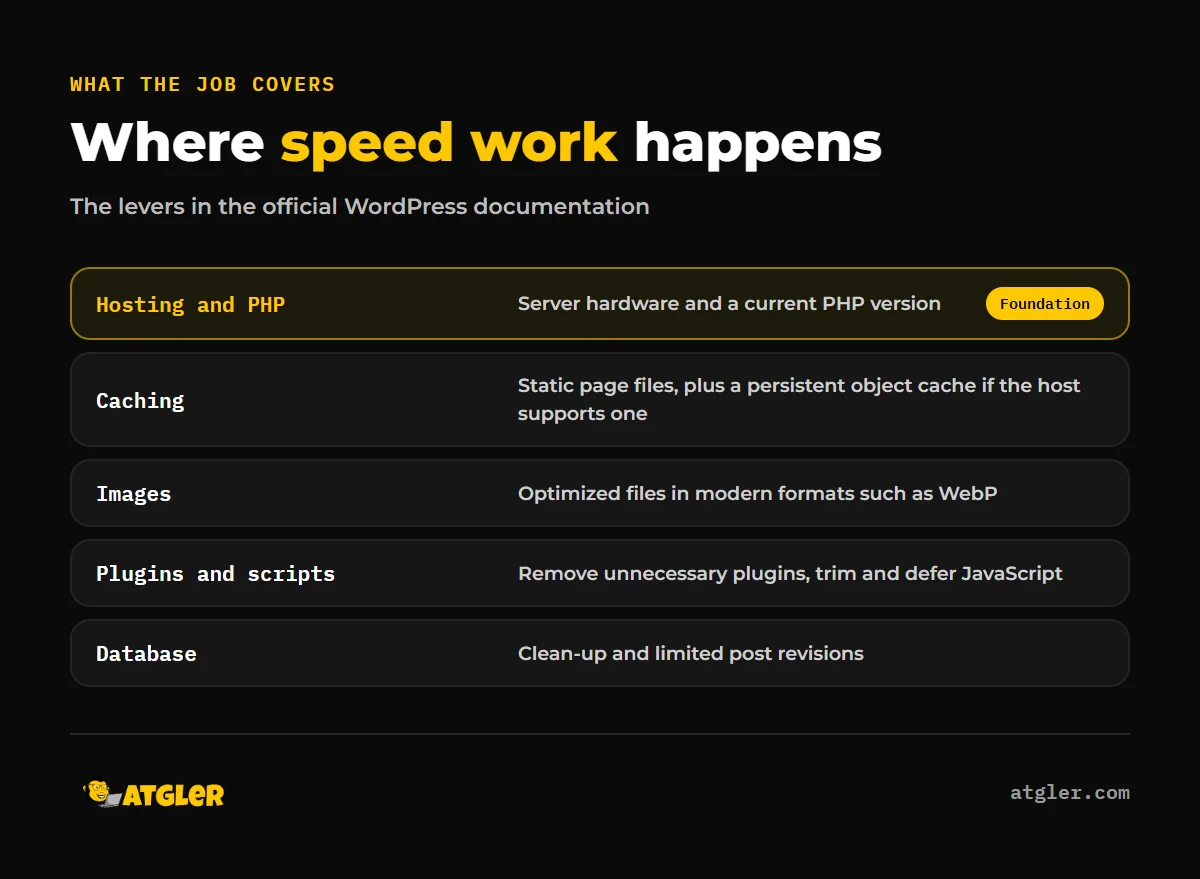
A proper job works through the layers of the site, starting with the server and ending with individual files. Each lever is listed in the official WordPress developer documentation, and a good provider can tell you which ones they touched.
Hosting and PHP
The WordPress developer docs say hardware capability “will have a huge impact on your site performance.” They also recommend a current PHP version, optionally with an opcode cache. Time to First Byte (TTFB) is where hosting shows up. It is not a Core Web Vitals metric, but web.dev says most sites should aim for 0.8 seconds or less. Between 0.8 and 1.8 seconds needs improvement, and above 1.8 seconds is poor.
Caching
The docs describe a caching plugin that serves pages as static files, plus a persistent object cache if your host supports one. Our comparison of WordPress cache plugins covers the options in more detail.
Images
Images are often the largest files on a page. The docs call for optimized images and modern formats such as WebP. Seahawk Media’s Essentials tier lists compression, conversion and lazy loading under this heading.
Scripts and plugins
The docs recommend removing unnecessary plugins. On the file side, Seahawk’s Essentials tier lists CSS and JavaScript minification and delaying or deferring JavaScript. Its Comprehensive tier adds preload, preconnect and prefetch hints.
Database
The docs suggest database clean-up and limiting saved post revisions. Seahawk lists database autoload optimization in Essentials and core database optimization in Comprehensive.
If you are still diagnosing, our post on why a WordPress site is slow walks through common causes.
How much does WordPress speed optimization cost?
There is no neutral price survey. Every figure below comes from a vendor or a vendor-adjacent comparison blog, so treat them as asking prices, not market averages.
| Source | Price | Notes |
|---|---|---|
| Seahawk Media (vendor-reported) | About $237 to $474 one-off | Based on 3 to 6 dev hours at $79 per hour. Hours confirmed before work starts. Core Web Vitals work is estimated separately at 4 to 8 dev hours. |
| WP Rocket, Single plan (vendor-reported) | $3 per month on a 1-year term, or $1.95 per month on a 3-year term | Black Friday first-purchase price, valid until November 28, 2026. Regular price is $5 per month, and renewal is annual at the regular price. The page does not clearly pair each price with its term, so the pairing is inferred from the discount label. |
| Themeisle comparison, October 2022 | $49 to $995 one-off, or $69 to $219+ per month | Examples: FixRunner from $69 per month or $49 one-time, WP Buffs from $219 per month, WP Speed Fix $995 for consult and implementation. Old prices, not current. |
Scope explains much of the spread. Some vendors fold Core Web Vitals work into the package, while others sell it separately. Seahawk also requires you to provide hosting access, and none of its listed tiers include hosting changes. Before comparing quotes, ask what is in and what is out.
For the do-it-yourself route, the plugin license is the cheap part. Your time and the risk of breaking the site are the real cost.
Is a caching plugin enough, or do you also need better hosting?
Usually not on its own, because caching and hosting fix different parts of the load. Web.dev’s LCP guide splits Largest Contentful Paint into four subparts, with ideal shares of about 40% for TTFB, under 10% for resource load delay, about 40% for resource load duration and under 10% for element render delay.
Caching mainly helps the server response, but slow hosting, heavy images and render-blocking scripts sit in other parts of that split. Web.dev stresses that these percentages are guidelines relative to each other, not absolute times, so do not treat them as fixed targets.
Also note who is talking. WP Rocket sells a caching plugin and benefits from caching being the headline fix. The WordPress documentation lists caching alongside hosting, images, plugins, database and PHP.
How do you verify core web vitals optimization worked?
Save PageSpeed Insights results for your key pages before any change, then compare them afterward. The Core Web Vitals “good” targets, per web.dev, are LCP of 2.5 seconds or less, INP of 200 ms or less and CLS of 0.1 or less. They are assessed at the 75th percentile of page loads, segmented by mobile and desktop. A page passes only if all three metrics reach their targets.
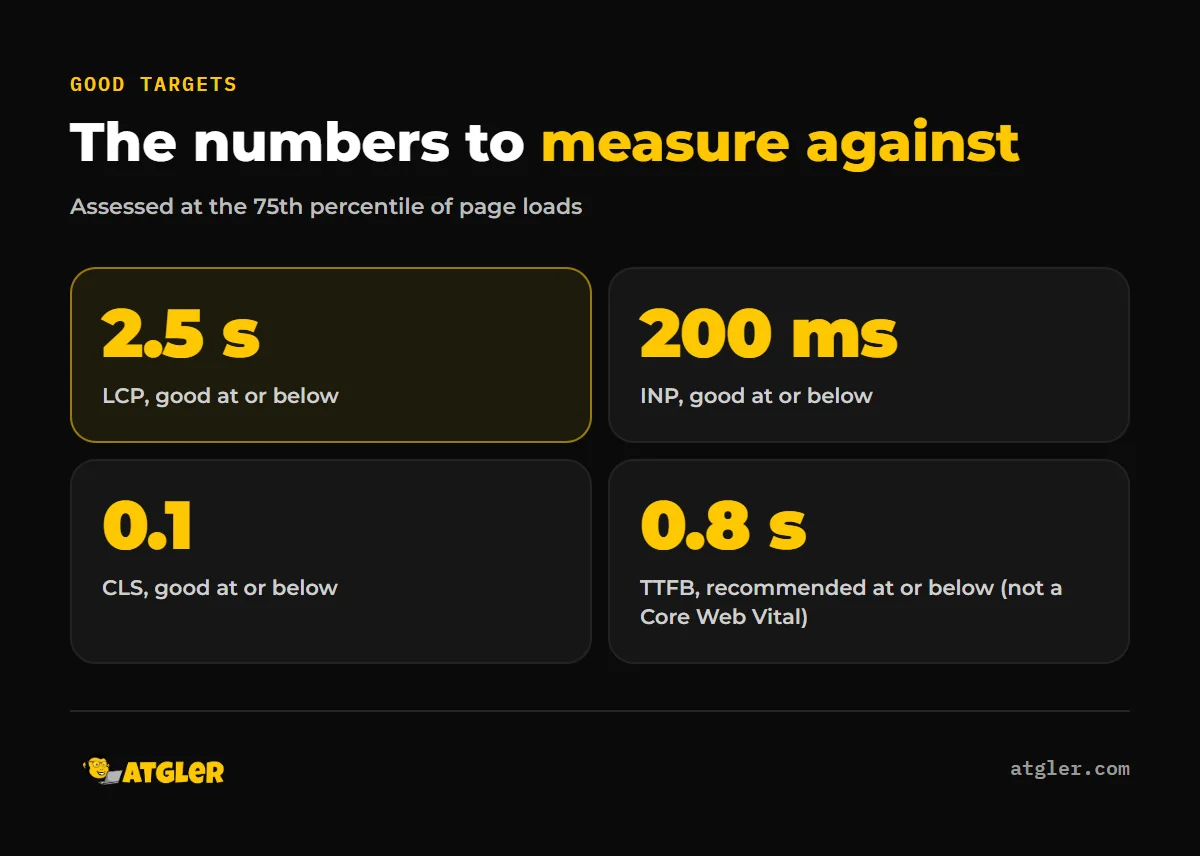
For INP, web.dev puts “needs improvement” above 200 ms up to 500 ms, and “poor” above 500 ms.
Lab data and field data are different
According to Google’s PageSpeed Insights documentation, field data comes from real users in the Chrome User Experience Report over the previous 28 days. Lab data comes from a simulated Lighthouse load on a mid-tier mobile device over a mobile network, or on an emulated desktop. Google describes lab data as useful for debugging, and notes the two often differ. If a page lacks enough field data, PageSpeed Insights falls back to origin-level data.
What to save
- Screenshots or exports of mobile and desktop results for your homepage and two or three key pages.
- LCP, INP, CLS and TTFB from both lab and field sections, where available.
- The test date, so you can compare like with like.
- A second set of results right after the work (lab) and another about 28 days later (field).
Lab scores can look better than real-user results, and field data lags. A lab-only comparison on day one can overstate the gain.
What the evidence does not tell you
Several things are unknown, and a trustworthy article should say so.
- No independent, methodologically stated survey of WordPress speed optimization costs exists in what we reviewed, only vendor pages.
- We did not verify managed hosting prices or the typical cost uplift when speed work requires a hosting change.
- We did not find a study with a stated method on how speed work affects traffic or conversions, so we make no claim about it.
- Seahawk Media’s page lists an “A or B+ guaranteed” PageSpeed score, but its own FAQ says it does not promise a specific Core Web Vitals score. Its “40 to 60% load-time improvement within 48 hours” claim is marketing and unverified.
What should you ask a provider before paying?
Ask what is in scope, how the work will be measured, and what happens if hosting is the bottleneck. A good answer includes before and after PageSpeed reports, which Seahawk lists in its Essentials tier.
Also ask whether Core Web Vitals work is included or billed separately, and who changes hosting settings. Be wary of any promise of a fixed score. Atgler has worked with WordPress for 7 years and has built, managed and maintained more than 600 sites. In that time, the most useful habit has been measuring first and changing one layer at a time.
Where can you get help with WordPress speed optimization?
If you want the work done and documented, our site optimization service is built for this. If you are unsure where the problem sits, an AI website audit is a reasonable first step. Speed also drifts when updates pile up, which is one reason ongoing website care and maintenance plans start from $99 a month, month to month.
Frequently asked questions
Why is my PageSpeed Insights score different between mobile and desktop, or between runs?
Mobile lab tests simulate a mid-tier phone on a mobile network, while desktop uses an emulated desktop. Lab runs are simulated, so small differences between runs are normal.
How long until improvements show up in field data?
Google’s documentation says field data covers the previous 28-day collection period. Expect about four weeks before real-user numbers fully reflect a change.
Does a speed optimization service guarantee a particular score?
It should not. Even a vendor that advertises a target grade, such as Seahawk Media, says in its FAQ that it does not promise a specific Core Web Vitals score.
Can I do it myself with free plugins?
Often partly. Caching, image compression and removing unused plugins are doable, but changes to scripts, the database or hosting carry more risk. Back up first and test after each change.
Is TTFB part of Core Web Vitals?
No. Web.dev treats it as a supporting metric and says most sites should aim for 0.8 seconds or less.
Sources
- web.dev: Web Vitals (last updated October 31, 2024)
- web.dev: Interaction to Next Paint (INP) (last updated September 2, 2025)
- Google for Developers: About PageSpeed Insights (page date not stated, read November 18, 2026)
- web.dev: Optimize Largest Contentful Paint (last updated March 31, 2025)
- web.dev: Time to First Byte (TTFB) (last updated November 18, 2025)
- WordPress Developer Resources: Advanced Administration: Optimization (updated October 14, 2026)
- Seahawk Media: WordPress Speed Optimization Service (read November 18, 2026, vendor-reported)
- WP Rocket: Pricing (valid until November 28, 2026, vendor-reported)
- Themeisle: WordPress speed optimization services (October 5, 2022, vendor-adjacent, prices outdated)