
On this page
- Key takeaways
- WooCommerce vs Shopify at a glance
- WooCommerce vs Shopify: ownership and flexibility
- How does WooCommerce vs Shopify cost compare over time?
- WooCommerce vs Shopify: apps, plugins and integrations
- WooCommerce vs Shopify: speed, security and maintenance
- WooCommerce vs Shopify: when Shopify is the better choice
- WooCommerce vs Shopify: when WooCommerce is the better choice
- WooCommerce vs Shopify: how to choose in 6 questions
- Can you switch later?
- WooCommerce store pricing at Atgler
- Common mistakes when choosing between WooCommerce and Shopify
- Frequently asked questions
WooCommerce vs Shopify comes down to a trade-off between ownership and convenience. WooCommerce is software you run yourself on WordPress: more control and flexibility, but more responsibility. Shopify is a hosted platform: simpler to start and maintain, but you build inside its rules and pay its fees. Neither is better in general. The right choice depends on your products, your team and how much control you want.
Disclosure: we build WooCommerce stores, so we’re not a neutral party. We’ve tried to give Shopify a fair case, including where it’s the better pick, and to rely on official sources rather than opinion. For what a WooCommerce build costs with us, see the pricing section below, and for general website costs see our WordPress website cost guide.
Key takeaways
- WooCommerce vs Shopify is a trade-off between ownership and convenience: WooCommerce gives more control and responsibility, while Shopify is simpler to start and maintain.
- The WordPress.org directory shows WooCommerce with over 7 million active installs, and because it runs on your own hosting you control the code and data.
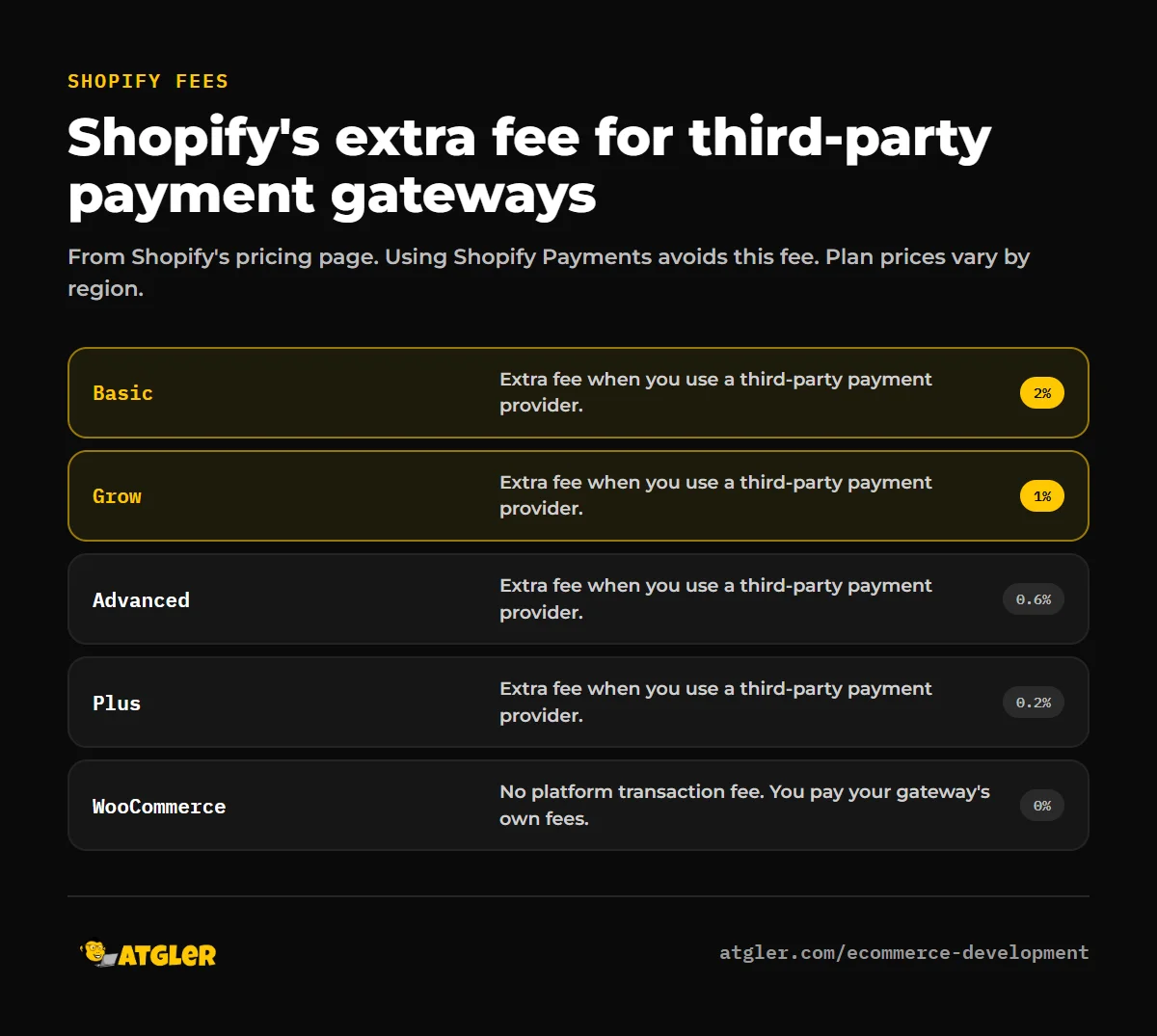
- According to Shopify’s pricing page, third-party payment providers add a per-transaction fee of 2% on Basic, 1% on Grow, 0.6% on Advanced and 0.2% on Plus.
- Patchstack’s 2026 report found 91% of new WordPress vulnerabilities in 2025 were in plugins, so WooCommerce updates, backups and monitoring are not optional.
- Choose by comparing total yearly cost, who will manage hosting and security, how custom your checkout is, and how much you value owning the platform.
WooCommerce vs Shopify at a glance
| WooCommerce | Shopify | |
|---|---|---|
| Type | Open-source plugin on your own WordPress site | Hosted, all-in-one platform |
| Software cost | Free to download | Monthly subscription by plan (Basic, Grow, Advanced, Plus) |
| You also pay for | Hosting, theme, extensions, payment processing | Apps, theme, payment processing |
| Transaction fees | None from WooCommerce itself, only your gateway’s fees | Extra fee if you use a third-party gateway instead of Shopify Payments |
| Hosting, updates, security | Your responsibility (or your developer’s) | Handled by Shopify |
| Customization | Almost unlimited, including custom code | Strong within its theme and app system |
| Ownership and portability | You own the code, data and hosting | Data is exportable, but you’re inside its platform |
| Setup effort | Higher | Lower |
WooCommerce vs Shopify: ownership and flexibility
WooCommerce is a plugin for WordPress, and the WordPress.org directory shows it with over 7 million active installs (last updated October 9, 2026). Because it runs on your own hosting, you control the code, the data and how everything is configured. You can add custom checkout logic, unusual product types, memberships or deep integrations without asking permission.
Shopify is a hosted platform. It’s convenient and reliable, but you work within its ecosystem: its theme system, its app store and its rules and pricing changes. For most standard stores, that’s fine. If long-term independence or unusual requirements matter, it can become a limit.
How does WooCommerce vs Shopify cost compare over time?
Both platforms look cheap at the start, and both cost more as you grow.
- WooCommerce: the plugin is free to download, but you pay for hosting, a theme, paid extensions you need (for example subscriptions or bookings) and a developer or maintenance for updates. WooPayments, WooCommerce’s own payment option, describes itself as pay-as-you-go with no setup costs or monthly fees; check its current per-transaction fees on the WooCommerce site.
- Shopify: you pay a monthly plan fee plus payment processing. According to Shopify’s pricing page, using a third-party payment provider adds a fee per transaction that depends on your plan: 2% on Basic, 1% on Grow, 0.6% on Advanced and 0.2% on Plus. Using Shopify Payments avoids that extra fee. Plan prices vary by region, so check the current price for your country.
- Build cost: WooCommerce usually costs more to set up properly because more is configured by hand, while Shopify can be launched faster with less technical work.
Over several years, the question is whether your recurring costs (Shopify’s plan, fees and apps vs. WooCommerce’s hosting, extensions and upkeep) end up lower for your store, which depends on your sales volume and gateway choices.
WooCommerce vs Shopify: apps, plugins and integrations
WooCommerce benefits from the huge WordPress ecosystem: shipping tools, tax tools, regional gateways, subscriptions and almost anything else, many of them free or low cost. That openness also means more plugins to keep updated and more choices to evaluate. Shopify’s app store is more curated, with consistent quality but recurring app fees that add up.
WooCommerce vs Shopify: speed, security and maintenance
This is where the trade-off is most real. On Shopify, hosting, security patching and uptime are Shopify’s job. On WooCommerce, they’re yours. Patchstack’s 2026 report found 91% of new WordPress vulnerabilities in 2025 were in plugins, and a store often runs more plugins than a brochure site. That doesn’t make WooCommerce insecure, but it means updates, backups and monitoring aren’t optional. See our guides to updating safely, security plugins and speed.
WooCommerce vs Shopify: when Shopify is the better choice
- You want to launch quickly with minimal technical work.
- You don’t have a developer or time to manage hosting and security.
- Your catalog and checkout needs are standard.
- You prefer one predictable subscription over assembling parts.
WooCommerce vs Shopify: when WooCommerce is the better choice
- You already have a WordPress site and want the store inside it, with content and commerce together.
- You need custom checkout logic, unusual products, memberships or deep integrations.
- You want to avoid platform transaction fees and keep control of your data.
- You have a developer or care plan to handle updates and security.
WooCommerce vs Shopify: how to choose in 6 questions
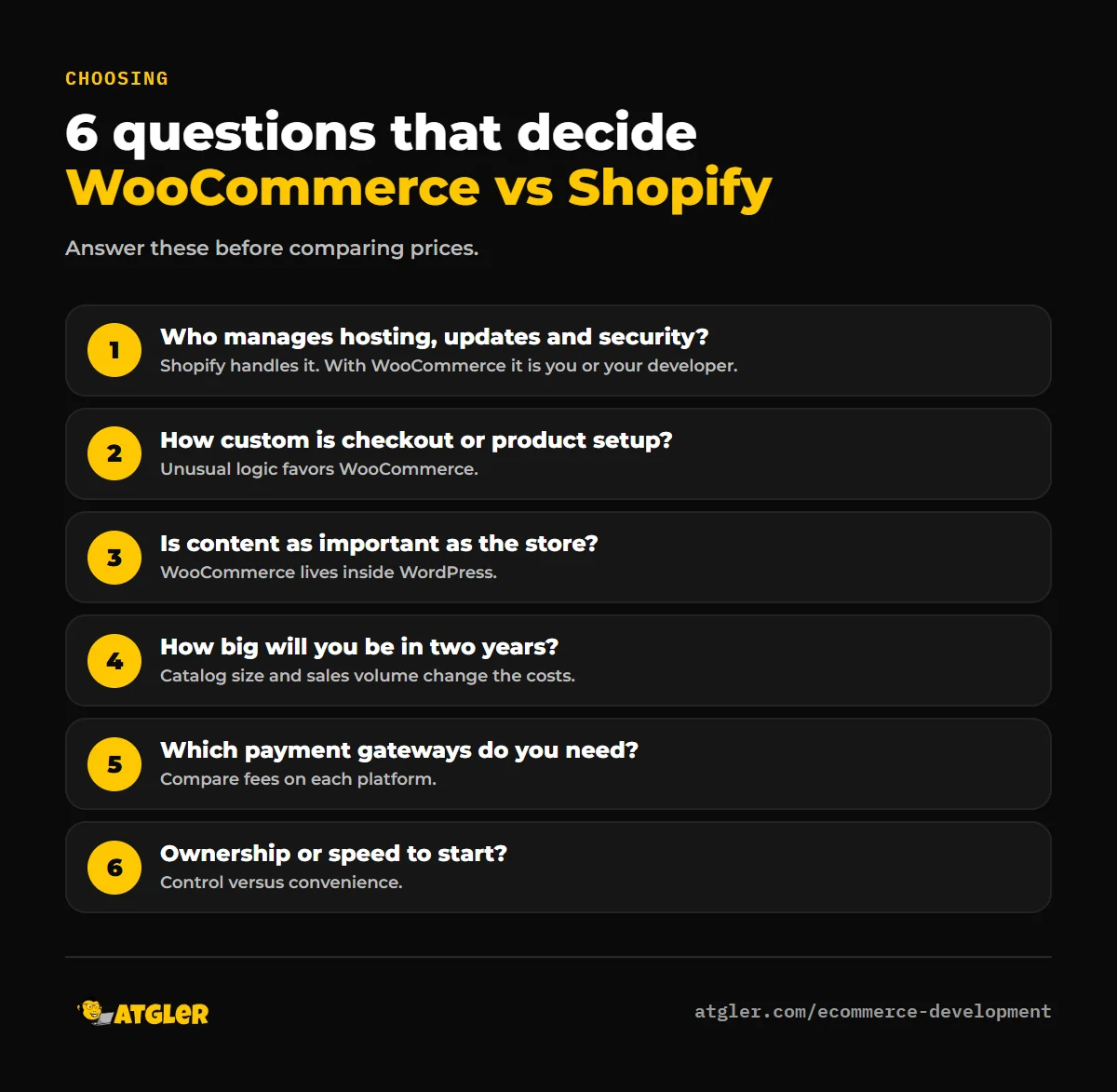
- Do you have someone to manage hosting, updates and security?
- How custom is your checkout or product setup?
- Is content (blog, guides, SEO) as important to you as the store?
- How large will your catalog and sales volume be in two years?
- Which payment gateways do you need, and what are the fees on each platform?
- How important is owning your platform versus getting started quickly?
Can you switch later?
Yes, in either direction, but it takes planning. Product data, customers and orders can usually be exported and imported, while design, URLs and some integrations need rebuilding. Protecting search rankings during a platform change follows the same rules as any migration, which we cover in our guide to migrating without losing rankings.
WooCommerce store pricing at Atgler
We build on WooCommerce only. Our e-commerce packages are one-time fees: Starter Store $1,199 (a smaller catalog, with up to 25 products uploaded), Growth Store $2,499 (custom catalog design for up to 100 SKUs, up to two payment gateways, stock tracking and 30 days of support) and Enterprise from $5,499 for larger catalogs and custom integrations. If you’re not sure which platform fits, tell us about your products and we’ll say so honestly, even if the answer is Shopify.
Common mistakes when choosing between WooCommerce and Shopify
- Choosing on the starting price alone. Compare total yearly cost: plan or hosting, apps or extensions, payment fees and upkeep.
- Underestimating WooCommerce maintenance. Updates, backups, security and speed tuning are ongoing work, not a one-time setup.
- Ignoring app costs on Shopify. Recurring app fees can add up as you add features.
- Taking advice from whoever sells one platform. That includes us. Ask anyone recommending a platform what they would do if the other fit better.
- Not testing checkout on a phone. Most shoppers will use one, on either platform.
- Skipping a redirect plan when switching. A platform change without redirects can cost you rankings.
- Overbuilding before the first sale. Start with the essentials and add features based on real orders.
Frequently asked questions
Is WooCommerce or Shopify better for beginners?
Shopify is usually easier for beginners, because hosting, security and updates are handled for you. WooCommerce suits people who already use WordPress or want more control, and are comfortable managing the technical side or paying someone to.
Is WooCommerce really free?
The plugin is free to download, but running a store needs hosting, a theme, a payment gateway and often paid extensions, plus maintenance. The total depends on your setup.
Does Shopify charge transaction fees?
If you use a third-party payment provider instead of Shopify Payments, Shopify’s pricing page lists an extra fee of 2% on Basic, 1% on Grow, 0.6% on Advanced and 0.2% on Plus. Payment processors charge their own fees on top, on any platform.
Which is better for SEO, WooCommerce or Shopify?
Both can rank well. WooCommerce gives more control over content and technical SEO, since you’re on WordPress, but you have to do the work. Shopify handles the basics well with less flexibility. Content quality and site speed matter more than the platform.
Can I move from Shopify to WooCommerce, or the other way?
Yes. Products, customers and orders can be migrated with export and import tools or a developer. Plan URL redirects and test checkout thoroughly to protect rankings and sales.
Is WooCommerce good for large stores?
It can be, with the right hosting, caching and database setup. Large catalogs need performance work, so plan for hosting that can handle the load.
Sources
- Shopify: Pricing (third-party payment fees by plan; plan prices vary by region)
- WooCommerce: WooPayments and the WooCommerce plugin page on WordPress.org
- Patchstack: State of WordPress Security in 2026
- Atgler: E-commerce Development (prices as published October 30, 2026)