
On this page
- Key takeaways
- Where WordPress attacks actually come from
- What a WordPress security plugin does well
- Why a WordPress security plugin alone isn’t enough
- What to put around your WordPress security plugin
- A realistic WordPress security plugin setup
- What should you do when prevention isn’t enough?
- Frequently asked questions
No, a WordPress security plugin alone doesn’t stop most real-world attacks, and no honest vendor claims it does. A good plugin blocks a lot of automated noise, locks down your login and alerts you to changes. But the biggest source of WordPress hacks is vulnerabilities in other plugins, and no security plugin can make a vulnerable plugin safe.
This article looks at what the evidence says about where attacks come from, what a WordPress security plugin does well, where it falls short and what to put around it. We haven’t run our own attack tests, so the numbers below come from security researchers and official documentation, and we flag where a source has a commercial interest. If you’re comparing options, see our guide to the best WordPress security plugins.
Key takeaways
- A WordPress security plugin alone doesn’t stop most real-world attacks, because the biggest source of hacks is vulnerabilities in other plugins that it cannot make safe.
- Patchstack reports (vendor data) 11,334 new WordPress vulnerabilities in 2025, up 42%, with 91% in plugins, 9% in themes and only six in core.
- Patchstack says 46% of vulnerabilities had no developer patch at disclosure, and heavily exploited ones had a weighted median time to mass exploitation of 5 hours.
- Patchstack’s 2025 penetration studies found traditional defenses blocked 12% of WordPress-specific attacks, and tested hosts blocked only 26% of total attacks.
- Around the plugin, add updates, fewer plugins, two-factor login, least-privilege accounts, off-site backups with restore tests, vulnerability protection, monitoring, good hosting and your own device security.
Where WordPress attacks actually come from
Patchstack’s State of WordPress Security in 2026 counted 11,334 new WordPress vulnerabilities in 2025, up 42% on the year before. Patchstack sells vulnerability protection, so treat its framing with that in mind, but the figures themselves are widely cited:
- 91% were in plugins, 9% in themes, and only six in WordPress core.
- 46% had no developer patch when they were publicly disclosed, so updating on time doesn’t always close the hole.
- For heavily exploited vulnerabilities, the weighted median time to mass exploitation was 5 hours, and about half of high-impact ones were exploited within 24 hours.
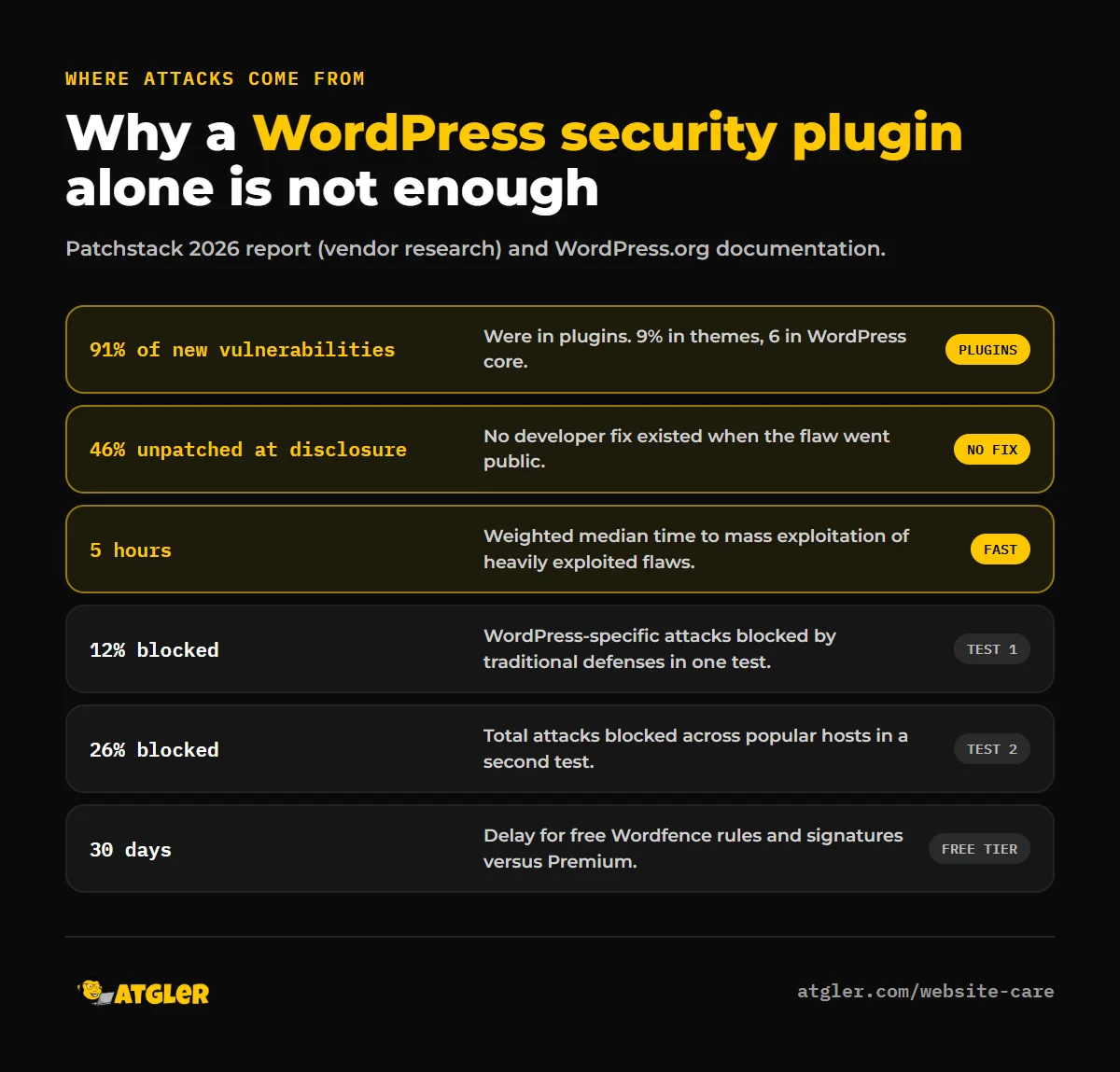
The pattern is clear: attackers go after plugin flaws, quickly. That’s the first reason a security plugin can’t be your only defense. It protects the front door, but the flaw is in a different room.
What a WordPress security plugin does well
Security plugins are worth installing, because they cover things your host and WordPress core don’t. According to the official Wordfence plugin description, for example, a suite can include an endpoint firewall, a malware scanner, login limits against brute-force attacks and two-factor authentication. Other suites (see the plugin pages for Kadence Security and All-In-One Security) add file-change notifications, hardening and audit logs. Those protect against:
- Password guessing and stolen-password logins, especially with 2FA turned on.
- Known malicious traffic and known malware signatures.
- Silent changes to your files, through monitoring and alerts.
Why a WordPress security plugin alone isn’t enough
1. A WordPress security plugin can’t patch someone else’s vulnerable code
If a plugin you use has an exploitable flaw, a general-purpose firewall may or may not recognize the attack. Specialized vulnerability protection exists for exactly this gap, and some suites integrate it (Kadence Security’s description mentions Patchstack integration in its Pro version), but a basic security plugin isn’t designed to fix an insecure plugin.
2. Generic defenses miss WordPress-specific attacks
Patchstack ran two 2025 penetration studies that tested common defenses, such as web application firewalls and Cloudflare, against vulnerability exploits. In the first, which used known exploited vulnerabilities, traditional defenses blocked 12% of WordPress-specific attacks. In the second, a large test of popular hosting companies, only 26% of total attacks were blocked, and results varied widely between hosts depending on configuration. Again, this is vendor research from a company that sells an alternative approach, and these tests covered hosting-level and cloud defenses rather than security plugins specifically. It supports the point that a single layer, however popular, shouldn’t be trusted to catch everything.
3. The free version of a WordPress security plugin can lag behind
The official Wordfence plugin description says the free version receives firewall rules and malware signatures 30 days after Premium. With heavily exploited flaws often attacked within hours, that gap matters. Other vendors have their own free and paid differences, so check what your plugin does.
4. Scanners miss things
Detection is never complete. Our article on how accurate WordPress malware scanners are covers why obfuscated code, hidden admin accounts and database payloads can slip past a scan.
5. Many hacks don’t involve a vulnerability at all
The WordPress.org guide on hacked sites notes that infections can start on the site owner’s own computer, where malware steals saved FTP or admin logins. Weak or reused passwords, pirated “nulled” plugins and other infected sites on the same shared hosting account are other common routes, and none of them is something a plugin inside your site can fully control.
6. A WordPress security plugin doesn’t help once you’re compromised
A security plugin installed after a hack won’t remove a backdoor it doesn’t know about. A 2026 thread on the WordPress.org support forums describes a site reinfected after cleanup where the scans flagged only the undeletable files and the rest had to be tracked down by hand. See our guide to finding and removing a WordPress backdoor for how to check.
What to put around your WordPress security plugin
| Layer | What it protects against |
|---|---|
| Updates | Known vulnerabilities in core, plugins and themes. See our update checklist |
| Fewer plugins | Reduces attack surface. Delete anything unused or abandoned |
| Two-factor login and strong passwords | Stolen or guessed credentials |
| Least-privilege accounts | Limits damage from one compromised account |
| Off-site backups with a restore test | Lets you recover from anything that gets through |
| Vulnerability protection | Blocks known plugin exploits while a patch is pending |
| Monitoring and alerts | Tells you quickly if something changes |
| Good hosting | Isolation between accounts, server hardening, current PHP |
| Your own device security | Stops stolen logins at the source |
A realistic WordPress security plugin setup
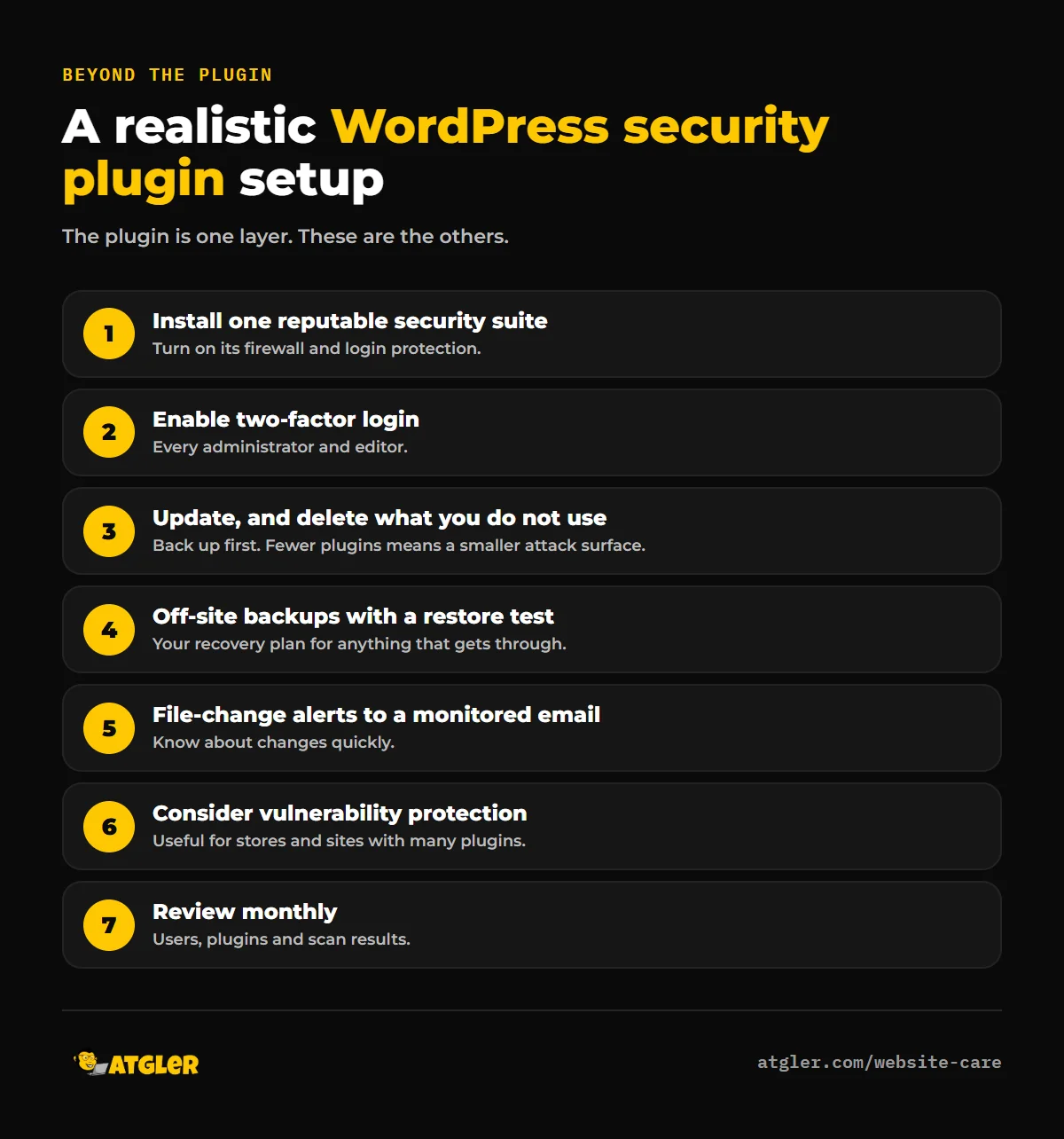
- Install one reputable security suite, and turn on its firewall and login protection.
- Enable two-factor authentication for every administrator and editor.
- Remove unused plugins and themes, and keep the rest updated, with a backup first.
- Set up automatic off-site backups, and test restoring one.
- Turn on file-change alerts to an email you actually check.
- Consider vulnerability-specific protection if you run many plugins or a store.
- Review users, plugins and scan results monthly.
What should you do when prevention isn’t enough?
If you see redirects, unknown admins, spam pages or a Google warning, you need cleanup, not more plugins. Our recovery guide walks you through it, and our hacked site repair service handles it for $149 (48 hours) or $249 (24 hours), with a 30-day re-hack guarantee. To keep updates, backups and monitoring handled all year, see our WordPress care plans. For cost context, see what malware removal costs.
Frequently asked questions
Is a WordPress security plugin enough to protect my site?
No. It’s an important layer, but most hacks exploit vulnerabilities in other plugins or stolen credentials. You also need timely updates, backups, two-factor login, fewer plugins and monitoring.
Do I need a security plugin if my host has a firewall?
Often yes, but they do different jobs. Hosts protect the server, while a plugin adds WordPress-aware login protection, file monitoring and alerts. Patchstack’s research found host-level defenses blocked only a minority of WordPress-specific attacks in its tests, though that’s vendor research.
Can a security plugin stop a hack from a vulnerable plugin?
Not reliably. A firewall may block some exploit attempts, but the fix is to update or remove the vulnerable plugin. Specialized vulnerability protection can help while you wait for a patch.
What’s the most common way WordPress sites get hacked?
Vulnerabilities in plugins. Patchstack found 91% of new WordPress vulnerabilities in 2025 were in plugins. Stolen credentials, nulled plugins and compromised hosting neighbors are also common.
Is the free version of a security plugin good enough?
For many small sites, as part of a wider routine, yes. Know the limits: for example, Wordfence’s free version gets new rules and signatures 30 days after Premium.
Should I install more than one security plugin?
Generally one full suite is enough. Running two firewalls or scanners together tends to cause conflicts and slow the site down. Add a specialist layer only if you have a clear reason.
Sources
- Patchstack: State of WordPress Security in 2026 (vendor research; figures cited as published)
- WordPress.org: FAQ: My site was hacked and the plugin pages for Wordfence, Kadence Security and All-In-One Security
- WordPress.org support forums: Reinfection after cleanup