
On this page
- Key takeaways
- What the Japanese keyword hack looks like on WordPress
- Why your site looks fine but Google shows spam
- Measure the spam footprint before you touch anything
- How to clean up a Japanese keyword hack on WordPress, in order
- Removals tool or 404/410: which one do you need?
- Validate the fix, then request the security review
- Why the spam comes back, and what the evidence does not tell you
- Getting help with a Japanese keyword hack
- Frequently asked questions
Cleaning up a Japanese keyword hack on WordPress means removing the malware first, then making sure the spam URLs stop returning content, then asking Google to recheck. Google describes the hack as one that “creates autogenerated Japanese text on your site.” Hiding the URLs in search without fixing the cause only masks the problem.
This article shows how to measure the spam footprint with site: searches and the Page indexing report, then how to work through cleanup and removal in a sensible order. If you would rather hand it off, our hacked site repair service covers this exact job.
Key takeaways
- Google describes the Japanese keyword hack as one that creates autogenerated Japanese text on your site, and hiding the URLs in search without fixing the cause only masks the problem.
- Sucuri reports the spam can be cloaked, looking normal in regular browsers but showing spam when requested with a Googlebot user agent, so a clean-looking homepage proves little.
- Measure the footprint first with a site: search, the Page indexing report and the Security Issues report, noting that example lists in Page indexing are capped at 1,000 rows.
- Clean the whole site first, then make spam URLs return 404 or 410, because Search Console says fixing only some pages will not earn a partial return to search results.
- Google’s Removals tool lasts only about six months, while 404 or 410 responses are permanent, and Google says security reviews can take from a few days to a few weeks.
What the Japanese keyword hack looks like on WordPress
Google’s definition of hacked content is “any content placed on a site without permission, due to vulnerabilities in a site’s security.” Its guide on this specific hack does not describe a single file or plugin. It describes the result: Japanese text appearing on your domain in search results.
Sucuri, a security vendor, reports that attackers generate Japanese text and keywords in titles and descriptions. They may also create spam pages in randomly generated directories that redirect to counterfeit stores. That is vendor-reported, but it matches what site owners usually find: fake product pages WordPress never had, pointing at shops that sell knock-offs.
Search Console groups hacked-content problems into three categories: code injection, content injection and URL injection. URL injection is defined as “A hacker has created new pages on your site, often containing spammy words or links.” Japanese keyword spam mostly fits that last category, though that mapping is our reading, not Google’s wording.
Why your site looks fine but Google shows spam
Many owners see a normal site in the browser and still find spam pages indexed in Google. Sucuri reports that the spam can be cloaked. In its example, the pages looked normal in Firefox, Chrome and Safari but showed spam when requested with a Googlebot user agent.
So a clean-looking homepage proves very little. The search results and Search Console are the better evidence, because they show what Google actually received.
Measure the spam footprint before you touch anything
Record the damage first. You will want a baseline to compare against when you check progress, and a list of URLs to work from.
Start with a site: search
Google’s guide says to type site:[root URL of your site] into Google to see pages it has indexed, including hacked ones. If the site: search shows spam, scroll through the results and note the patterns: shared folder names, URL parameters, or product-style slugs. Those patterns matter later when you decide what to remove.
Google’s guide gives only the basic form of this query. It does not say how complete the results are, so treat what you see as a sample of the footprint rather than a full count.
Then use Search Console
The Page indexing report shows which URLs Google has crawled and indexed and why others are not indexed. Two limits to know about, according to Google’s documentation:
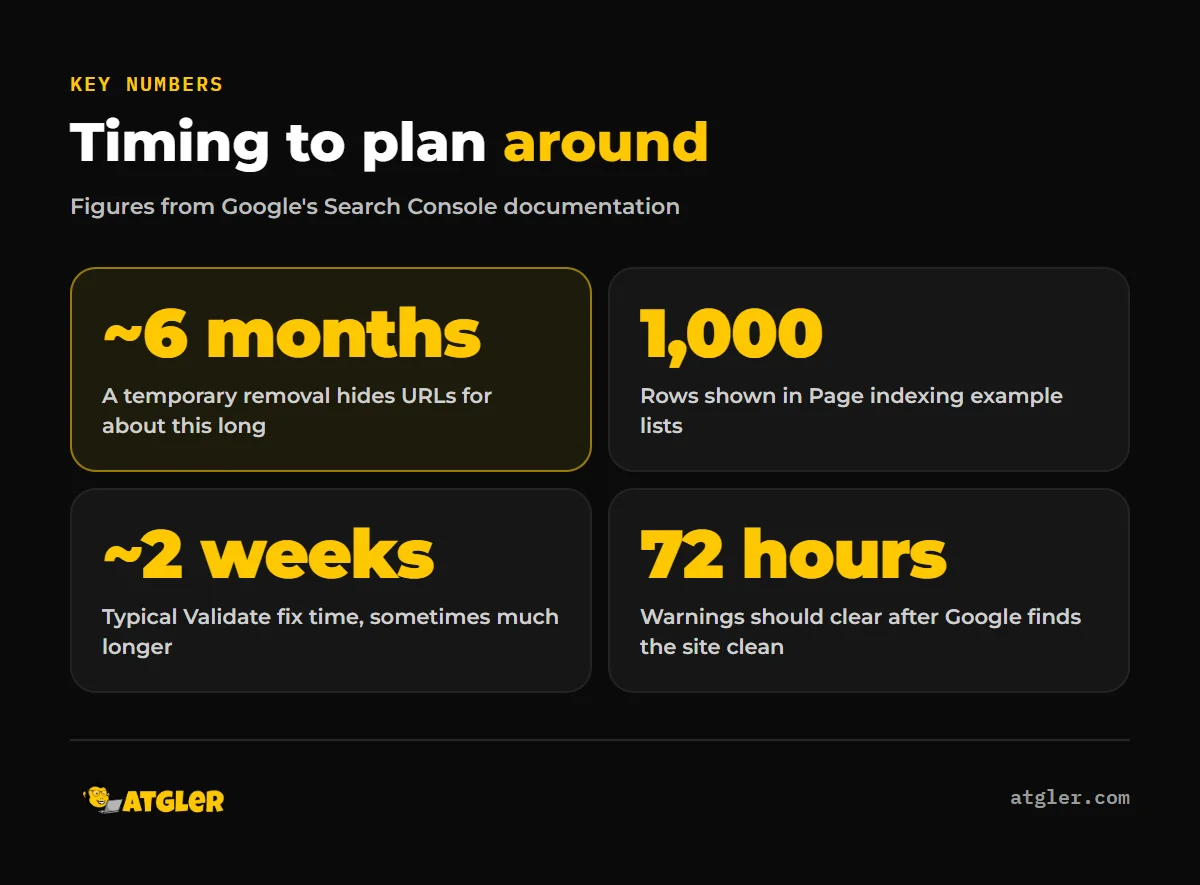
- Example lists are capped at 1,000 rows, so a large infection will not be fully listed.
- The 404 list shows only URLs that returned 404 in the past month.
Also open the Security Issues report. Google’s guide points to it as a detection tool, and it tells you which of the three categories Google has flagged.
Export or screenshot everything now. Google does not publish how many spam URLs a typical infection creates, and we found no study with a stated method measuring it, so your own numbers are the only ones that count.
How to clean up a Japanese keyword hack on WordPress, in order
Google’s help pages say to fix the problem across the whole site, and Search Console is blunt about partial work: “Fixing the issue on just some pages will not earn you a partial return to search results.” The order that follows from that is simple: clean first, then fix the URLs, then ask Google to recheck.
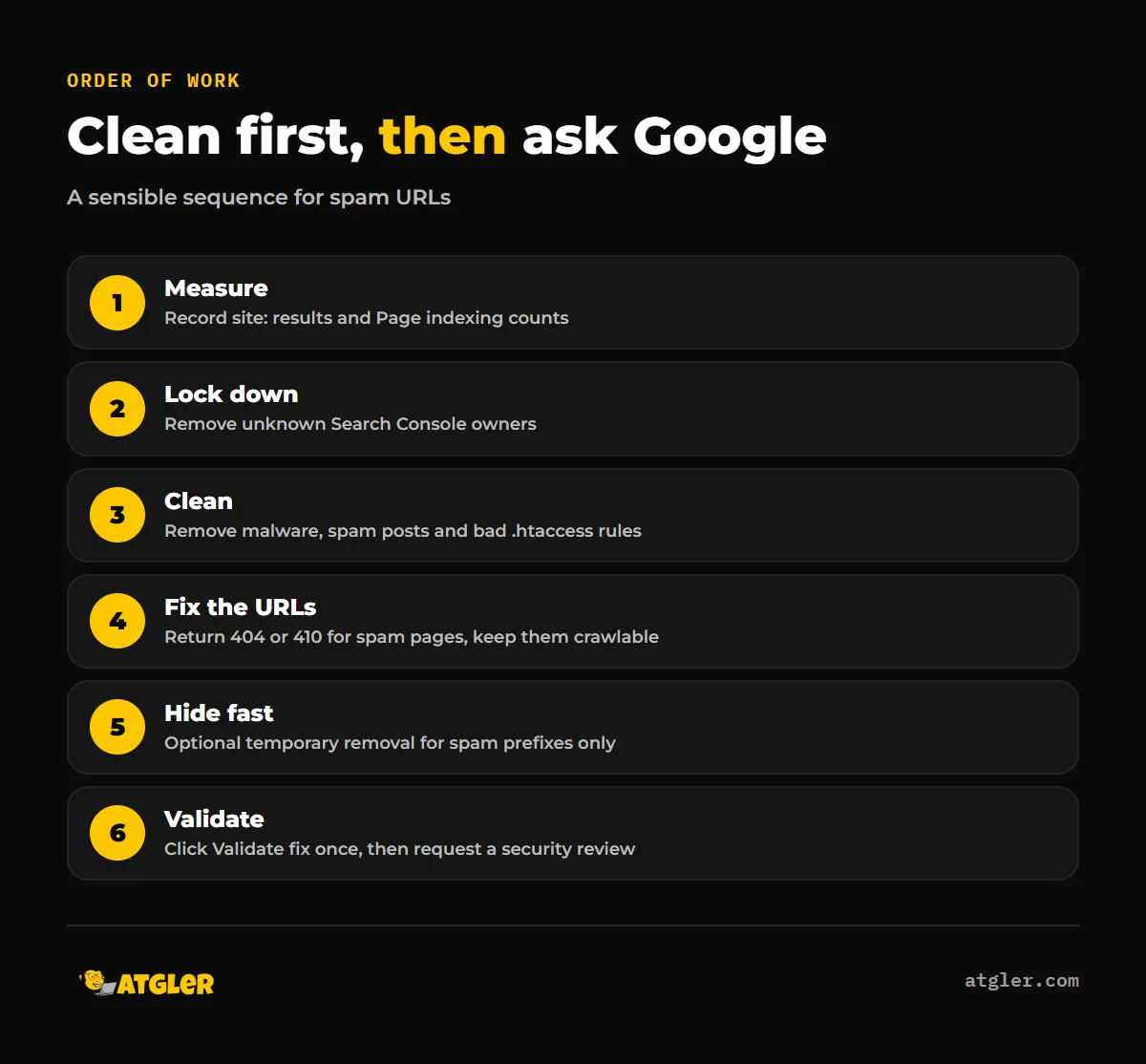
1. Check who owns the Search Console property
Sucuri says attackers may add themselves as property owners in Search Console, and Google’s guide lists removing newly created accounts as a cleanup step. If you see an owner you do not recognize, remove them before anything else. Otherwise they can keep interfering after you clean the site.
2. Remove the malware and the spam content
Google’s cleanup headings are: check .htaccess (replace all .htaccess files with a clean or default version), remove all malicious files and scripts, and check whether your site is clean. Sucuri’s list adds scanning for spam posts, checking php.ini and wp-config.php, replacing core files, removing unused plugins and themes, checking uploads for executable files, and updating database credentials. Its example malware sat in ./wp-content/mu-plugins, a folder many owners never open.
For the hands-on details, see our guides on finding and removing a WordPress backdoor and what to do right after a hack. A scanner plugin alone may miss things, as we explain in our look at malware scanner accuracy.
3. Make the spam URLs return 404 or 410
Once the spam pages and redirects are gone, those URLs should return a 404 or 410. Google’s Removals documentation lists these, along with a password or a noindex tag, as the ways to keep a URL out permanently. Do not block the spam URLs in robots.txt while you wait. Google’s documentation does not address this, but our reasoning is that Google needs to crawl a URL to see that it now returns 404 or 410.
4. Optionally hide the worst URLs while Google recrawls
The Removals tool can hide URLs quickly. For hacked sites, Google says to block the new spam URLs the hacker created, but avoid blocking the whole site or URLs you want indexed. If the spam sits under a distinct folder, a prefix removal on that folder can avoid your real pages. Check the pattern against your real URLs before submitting.
Removals tool or 404/410: which one do you need?
They do different jobs, and for a hacked site you need the permanent one. Per Google’s Removals documentation, a successful temporary request “lasts only about six months” and clears the snippet. It does not stop crawling, so a page can reappear after the block expires.
| Method | What it does | Lasts | Best use |
|---|---|---|---|
| Removals tool | Hides URLs from Google results | About six months (180 days) | Fast cover for spam prefixes while cleanup finishes |
| 404 or 410 response | Tells Google the page is gone | Permanent, as long as the page stays gone | Every spam URL the hack created |
| noindex tag | Tells Google not to index the page | Permanent, while the tag stays | Pages that must exist but should not be indexed |
| Password protection | Blocks access to the content | Permanent, while it stays | Rarely relevant to hack spam |
Validate the fix, then request the security review
When the site is clean and the spam URLs return 404 or 410, tell Google. Use the two reports for different things.
- Page indexing report: click “Validate fix” once. Google says validation “typically takes up to about two weeks, but in some cases can take much longer.” An issue stays listed until 90 days after its last instance disappears, and Google can detect fixes in its regular crawl even without validation. Filtering the report by a sitemap can make validation finish faster.
- Security Issues report: select “Request a review” and briefly explain, for each hacked-spam category, how you cleaned the site. Do not resubmit while a request is pending. Google emails you when it receives the request and again when the review is done.
Review timing is described two ways. The Search Console help page says a hacked-content review “can take from a few days to a few weeks,” while web.dev says reviews can require “up to several weeks.” Web.dev adds that if Google finds the site clean, warnings should be removed within 72 hours. Plan for weeks, not days.
Review your sitemap too. Sucuri lists it as a cleanup step, since attackers can add spam URLs to it.
Why the spam comes back, and what the evidence does not tell you
Google’s guide states: “A recent study found that 20% of hacked sites are hacked again within one day.” The guide gives no study name or method, so treat it as Google’s unsourced claim. It does support the practical point: if the entry point stays open, the spam returns. Update software, remove unused plugins and themes, and consider a firewall, as Sucuri suggests. Our WordPress update checklist helps with the first part.
Several things remain unknown:
- None of the Google pages we relied on show a publication or last-updated date, so we cannot confirm how recent they are.
- Google does not publish how complete
site:results are, so the visible count may understate the footprint. - We found no method-backed study of how many spam URLs a typical infection creates.
- Sucuri sells cleanup and firewall products, so its urgency and its cleanup list are vendor-reported.
Getting help with a Japanese keyword hack
You can do all of this yourself, but the work is tedious: finding every injected file, scoping removals without hiding real pages, and writing a review request that covers each category. Our hacked site repair is a flat fee of $149 Standard (48 hr) or $249 Priority (24 hr), with a 30-day re-hack guarantee. If you want a sense of the broader range, see how much malware removal costs. Afterward, a website care plan keeps updates and backups current.
Frequently asked questions
How do I check whether my WordPress site has the Japanese keyword hack?
Search site: followed by your root URL in Google and look for Japanese titles or product pages you did not create. Then check the Security Issues and Page indexing reports in Search Console.
Why do I see Japanese pages in Google but nothing wrong on my site?
The spam can be cloaked. Sucuri reports pages that looked normal in common browsers but showed spam to a Googlebot user agent.
Should I use the Removals tool or return 404/410?
Do both if you need speed, but the 404 or 410 is the lasting fix. Google says a temporary removal lasts only about six months and does not stop crawling.
Will blocking the spam URLs in robots.txt help?
Google does not address this in the pages we reviewed. Our view is that it can hurt, because Google needs to crawl each URL to see that it now returns 404 or 410.
How long does Google’s review take?
Google’s Search Console help says a few days to a few weeks, and web.dev says up to several weeks. Warnings should clear within 72 hours once Google finds the site clean.
Someone I do not know is an owner in Search Console. What now?
Remove them. Sucuri says attackers may add themselves as property owners, and Google’s cleanup steps include removing newly created accounts.
Can a security plugin fix this on its own?
It may help find some files, but the cleanup also involves .htaccess, spam posts, the sitemap and Search Console. A plugin scan alone does not cover the Google side.
Sources
- Google (web.dev): Fix the Japanese keyword hack (no date shown)
- Google (web.dev): Request a review (no date shown)
- Google Search Console Help: Security issues report (no date shown)
- Google Search Console Help: Removals tool (no date shown)
- Google Search Console Help: Page indexing report (no date shown)
- Google Search Central: Spam policies for Google web search (no date shown)
- Sucuri: How to Find & Fix Japanese SEO Spam (September 19, 2023, vendor-reported)