
On this page
WordPress security statistics for 2026 point to one pattern: sites are rarely hacked through WordPress itself. Patchstack’s report on 2025 data counted 11,334 new vulnerabilities across the WordPress ecosystem, up 42% on the year before, and 91% of them were in plugins. For a site owner, that means your plugin list is your biggest security decision.
This article goes through what the report says, what the numbers do and don’t prove, and what they mean for a small business site. One caveat up front: Patchstack sells WordPress security protection, so these are a vendor’s own figures. We use them because they’re detailed and recent, and we flag where that matters. If your site is already compromised, start with our guide on what to do when your WordPress site is hacked.
Key takeaways
- Patchstack’s report on 2025 data counted 11,334 new WordPress vulnerabilities, up 42% on the year before, and 91% of them were in plugins.
- WordPress core had only 6 vulnerabilities, so the risk comes from the plugins and themes you add, not from WordPress itself.
- Patchstack reports about half of high-impact vulnerabilities were exploited within 24 hours, and 46% had no developer fix when publicly disclosed.
- Patchstack’s own tests found traditional defences blocked 12% of attacks in the first test and 26% in a broader second test.
- The data comes from a security vendor and counts only disclosed flaws, so it shows how much attack surface exists, not your odds of being hacked.
WordPress security statistics 2026: the headline numbers
These come from Patchstack’s State of WordPress Security in 2026 whitepaper (page updated February 25, 2026), which covers 2025 data:
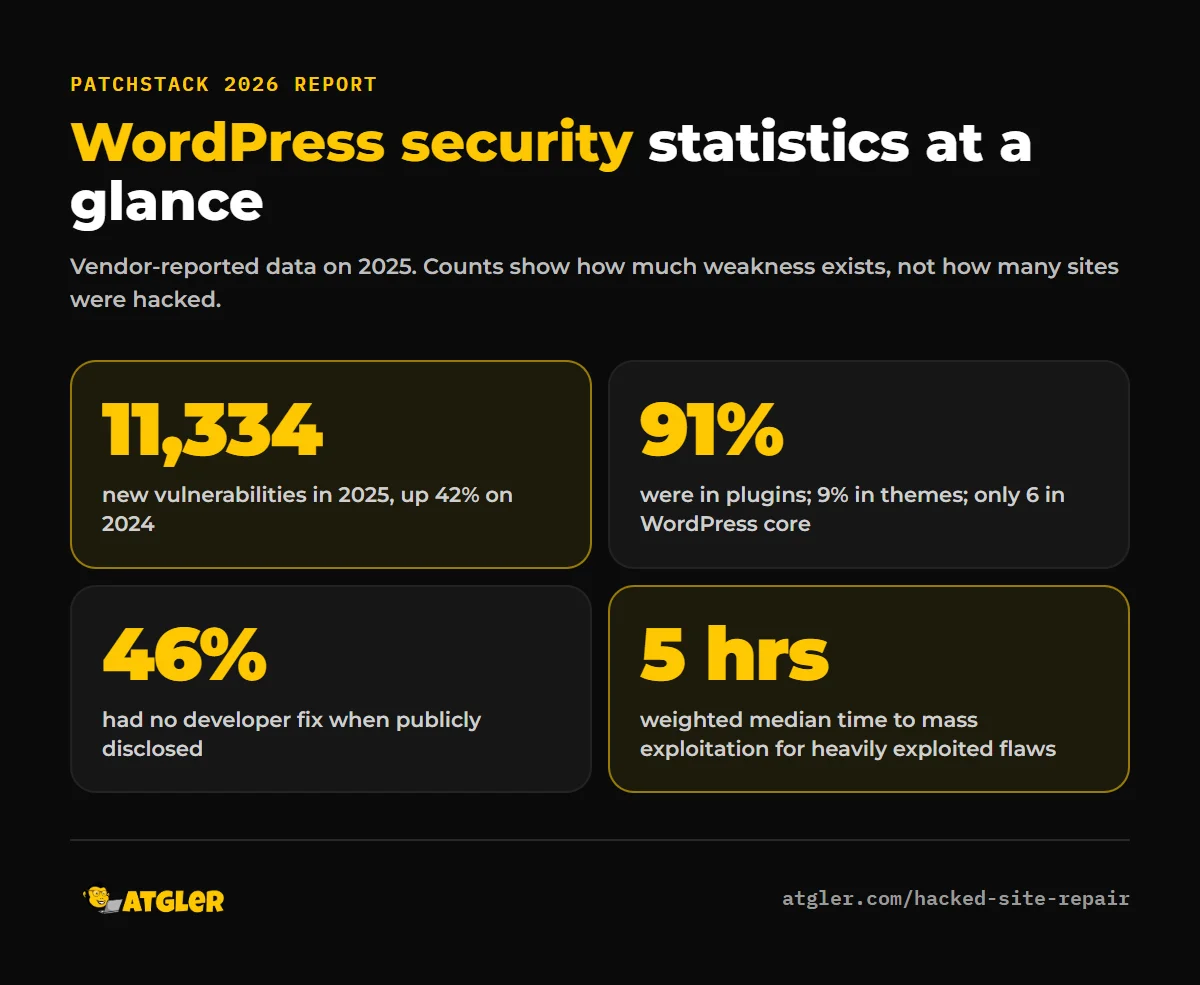
- 11,334 new vulnerabilities were reported in the WordPress ecosystem, a 42% increase on 2024.
- 91% were in plugins and 9% in themes. WordPress core had only 6.
- 46% had no fix from the developer by the time they were publicly disclosed.
- 17% (1,966) were rated high severity, meaning likely to be used in automated, mass-scale attacks.
- About half of the high-impact vulnerabilities were exploited within 24 hours, and the weighted median time to mass exploitation for heavily exploited ones was 5 hours.
- Premium components had three times more known exploited vulnerabilities than free ones.
- The most exploited category was broken access control.
What these WordPress security statistics mean
1. The risk is in what you add, not in WordPress core
With 6 core vulnerabilities against thousands in plugins and themes, keeping WordPress itself updated is necessary but nowhere near enough. Every plugin and theme you install adds code written by someone else, and each one can have flaws. That’s why an inventory of what’s installed is the first security step.
2. Vulnerability counts are not the same as hacked sites
A vulnerability is a weakness. It becomes a hack only when someone exploits it on a site that still runs the vulnerable version. The report doesn’t give a single overall exploitation rate, so you can’t read “11,334” as “11,334 attacks.” The number tells you how much surface exists, not how many sites were compromised.
3. The window to patch is measured in hours
If about half of high-impact vulnerabilities are exploited within 24 hours, a monthly update routine leaves a gap. Some of that risk can’t be removed by updating faster: 46% of vulnerabilities had no developer fix at disclosure, so there was nothing to install. In those cases, removing the plugin, disabling the affected feature or using a protection rule is the only defence.
4. Hosting-level defences don’t cover everything
Patchstack also tested how well traditional defences stop WordPress-specific attacks. In its first test, which focused on known exploited vulnerabilities, they blocked 12%. In a broader second test, they blocked 26% of attacks. These were the vendor’s own tests, so treat the exact percentages with care, but the direction matches common sense: generic server protections don’t understand every plugin flaw.
What the data doesn’t tell you
- It isn’t independent. Patchstack is a security vendor with a commercial interest in showing a large problem. The counts are from its own database and testing.
- It doesn’t show your odds. A small site with few, well-maintained plugins faces a very different risk from one with 40 plugins and no updates.
- It measures disclosed flaws only. Vulnerabilities nobody has reported aren’t in the count.
- The “premium plugins” finding needs context. It says premium components had more known exploited vulnerabilities, not that every paid plugin is unsafe. Popularity and attacker attention can affect those numbers.
How to reduce your risk, based on the data
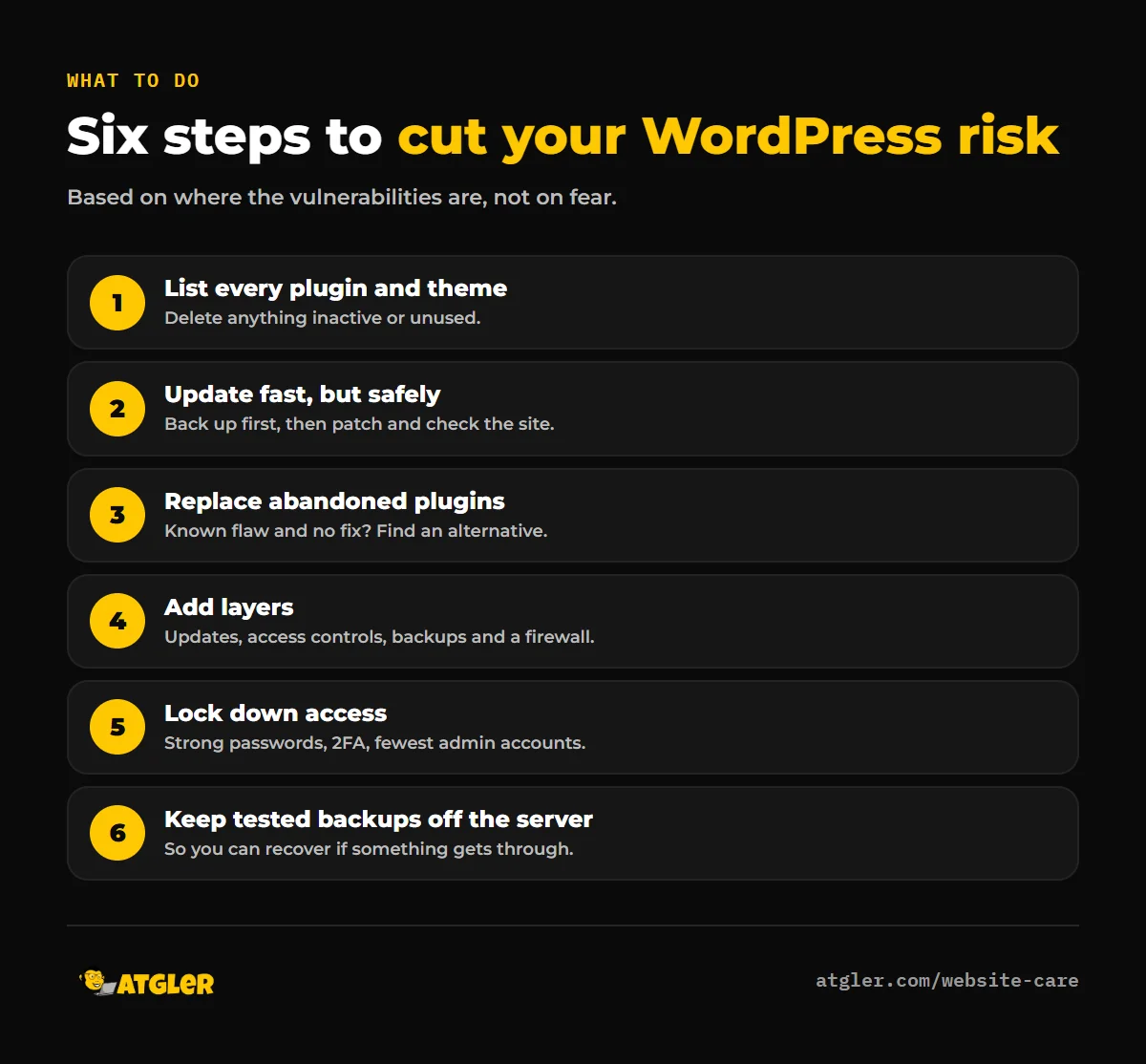
- List every plugin and theme. Delete anything inactive or unused. Deactivated code can still contain exploitable flaws if the files remain on the server.
- Update fast, but safely. Take a backup first, apply security updates promptly and check the site afterwards. Our WordPress update checklist covers the steps.
- Replace abandoned plugins. If a plugin has a known flaw and no fix, find an alternative rather than waiting.
- Add layers. One defence won’t stop everything. Combine updates, access controls, backups and a firewall or protection service. Our comparison of WordPress security plugins shows what each type does.
- Check the basics of access. Since broken access control is the most exploited category, use strong, unique passwords, two-factor authentication and the fewest admin accounts you can.
- Keep tested backups off the server. They let you recover quickly if something gets through.
When a plugin flaw becomes a hack
If an attacker gets in, Google treats the result seriously. Its spam policies define hacked content as “any content placed on a site without permission, due to vulnerabilities in a site’s security.” That includes injected code, injected pages, hidden text and redirects that send some visitors to spam. Cleaning only the visible symptoms often isn’t enough, because the attacker’s way back in usually remains. Finding and removing a backdoor is the step most do-it-yourself cleanups miss.
Getting help with WordPress security
If your site is already showing spam pages, redirects or a Google warning, our hacked site repair service cleans the site, fixes the entry point and requests the Google review for you. To prevent the next one, our website care plans include updates, daily backups, security monitoring and uptime checks.
Frequently asked questions
How many WordPress vulnerabilities were there in 2025?
Patchstack reported 11,334 new vulnerabilities in the WordPress ecosystem in 2025, a 42% increase over 2024. Of those, 91% were in plugins, 9% in themes and 6 in WordPress core.
Is WordPress itself insecure?
The data doesn’t say so. WordPress core had only 6 reported vulnerabilities in 2025, while plugins and themes accounted for the rest. Most risk comes from third-party code and from sites that don’t keep it updated.
How quickly do attackers exploit WordPress vulnerabilities?
According to Patchstack, about half of high-impact vulnerabilities were exploited within 24 hours of disclosure, and the weighted median time to mass exploitation for heavily exploited ones was 5 hours.
What is the most common cause of WordPress hacks?
Vulnerable plugins and themes are the largest source of reported flaws, and broken access control was the most exploited category. Weak passwords and outdated software also play a part, but this report measures vulnerabilities rather than the cause of every hack.
Are premium WordPress plugins safer than free ones?
Not according to this report. Premium components had three times more known exploited vulnerabilities than free ones. That doesn’t make every premium plugin unsafe. Check each plugin’s update history and support, whatever the price.
Can I trust vendor statistics like these?
Use them as a guide, not a verdict. Patchstack sells security products, so it has an interest in showing the scale of the problem. The figures are useful for direction, and you can check the source yourself.
Sources
- Patchstack: State of WordPress Security in 2026 (page updated February 25, 2026; vendor-reported data)
- Google Search Central: Spam policies for Google web search (hacked content)
- Atgler: Hacked Site Repair and Website Care