
On this page
A homepage ping only proves the front page answered. Checkout can be broken, a certificate can be a week from expiring, and the backup job can be dead, all while your monitor shows a calm green “up”. Good WordPress uptime monitoring is an outside service that requests your site on a schedule and alerts you when a check fails. It also looks at page content, certificate expiry and scheduled jobs, and it alerts more than one person.
We’ve worked with WordPress for 7 years and have built, managed and maintained more than 600 sites. Monitoring is part of our website care and maintenance work, so what follows comes from the day-to-day. Where a fact comes from a monitoring vendor’s own documentation, we say so.
A homepage ping misses a lot
WordPress can fail in plenty of places while the front page loads fine.
The Site Health documentation on WordPress.org lists critical issues such as “Your site could not complete a loopback request,” “Could not reach WordPress.org” and “Background updates are not working as expected.” Visitors see a working homepage through every one of them.
Scheduled tasks are the classic case. The WordPress Plugin Handbook says WP-Cron checks its list of scheduled tasks on every page load and “is only triggered on page load.” Its own example: schedule a task for 2:00PM, get no page loads until 5:00PM, and you can get scheduling errors. The site answers pings the whole time and the jobs still stall. That handbook page was last updated December 14, 2023, so confirm current behavior on your own site.
Server errors cost you in search, too. Google Search Central says 5xx and 429 errors make its crawlers slow down temporarily, content received from a 5xx URL is ignored, and URLs that keep returning a server error get removed from the index. Already-indexed URLs are “eventually dropped.” Google doesn’t say how long that takes. Once the server returns a 2xx response again, crawling gradually picks back up. Google doesn’t describe short blips as harmful. The risk is the long outage nobody noticed.
What to monitor besides the homepage
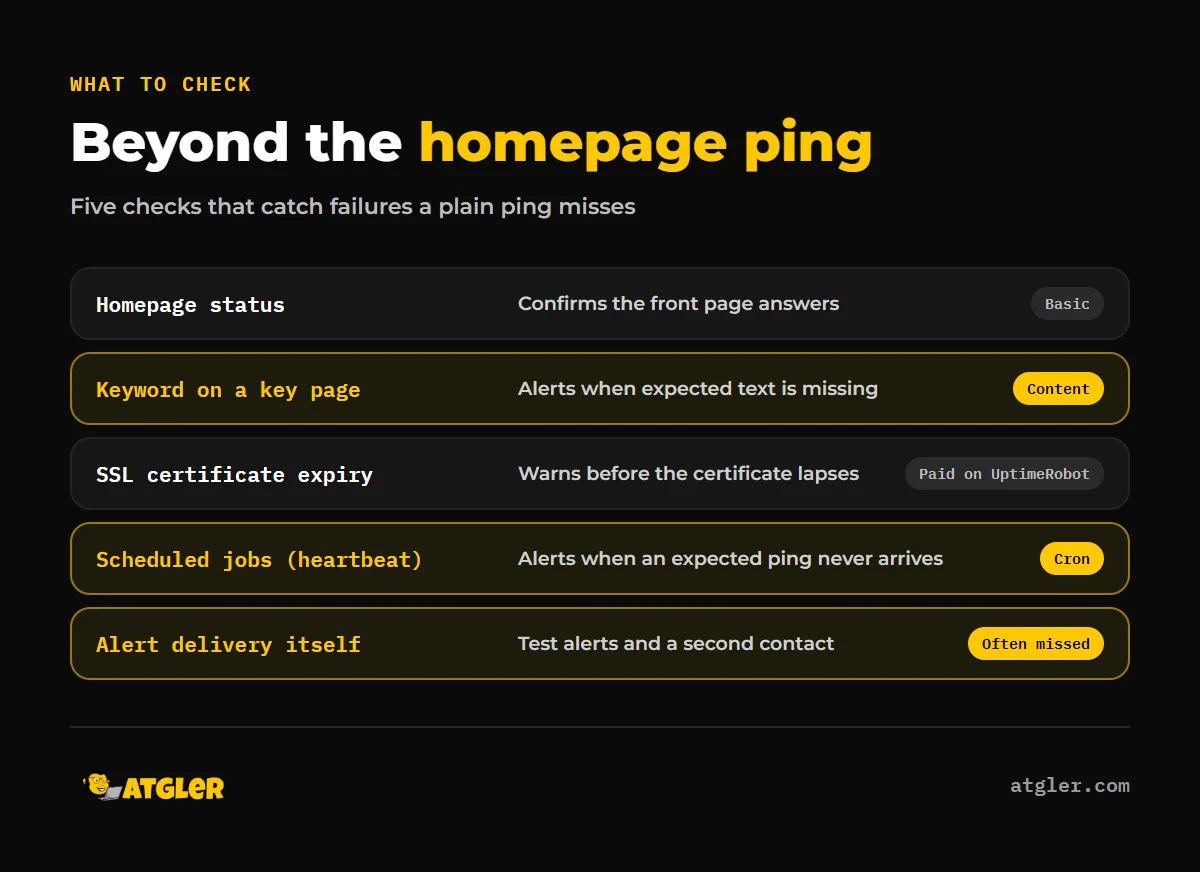
Watch the pages and processes your business actually depends on. This is the set we suggest and what each check catches.
| Check | What it catches | Source of the capability |
|---|---|---|
| Homepage HTTP status | Total outages, 5xx errors | Standard in monitoring tools |
| Keyword on a key page | A page that loads but shows an error or wrong content | Better Stack keyword monitor (vendor); UptimeRobot lists keyword monitoring on Free |
| SSL certificate expiry | Certificate lapses | UptimeRobot (vendor, paid plans) |
| Heartbeat for scheduled jobs | Stalled WP-Cron or backup jobs | Better Stack, UptimeRobot (vendor) |
Keyword checks
Better Stack’s documentation says keyword monitors “look for a specified keyword or phrase in the page response,” and the match is case-insensitive. Set the alert to “URL doesn’t contain keyword” and you hear about it when expected text vanishes. Pick text that only shows up when the page works, like a product name or the phone number in the footer.
SSL certificate expiry
UptimeRobot’s help center gives a reminder schedule of 30, 14, 7 and 0 days before expiration, though the first warning depends on the issuer. Let’s Encrypt and Cloudflare certificates warn 14 days out. cPanel certificates warn 7 days out. The check runs once every 24 hours. SSL monitoring is on paid plans only, and HTTPS monitors on the Free plan aren’t checked for certificate issues. That’s UptimeRobot’s own account, so confirm it for the plan you pick.
Heartbeats for scheduled jobs
A heartbeat works in reverse. Your job pings the monitor, and you get an alert when the ping doesn’t show up. UptimeRobot says it supports heartbeat intervals from 1 minute up to 31 days, and it alerts when the expected heartbeat doesn’t arrive within the interval and grace period you set. Better Stack describes the same model and adds that a heartbeat sits at “Pending” until the first request arrives. Put the ping at the end of the job, so a job that dies halfway can’t report success.
Login, checkout and API pages
Vendor guides often suggest watching wp-login.php, a cart or checkout page, a contact page and the /wp-json/ REST endpoint. Those are vendor blog suggestions, not documented requirements, but they’re sensible. Choose the pages whose failure would cost you a customer or a sale.
How often to check, and whether free is enough
Nobody publishes a neutral study that sets the right interval. In practice the interval is whatever your plan allows.
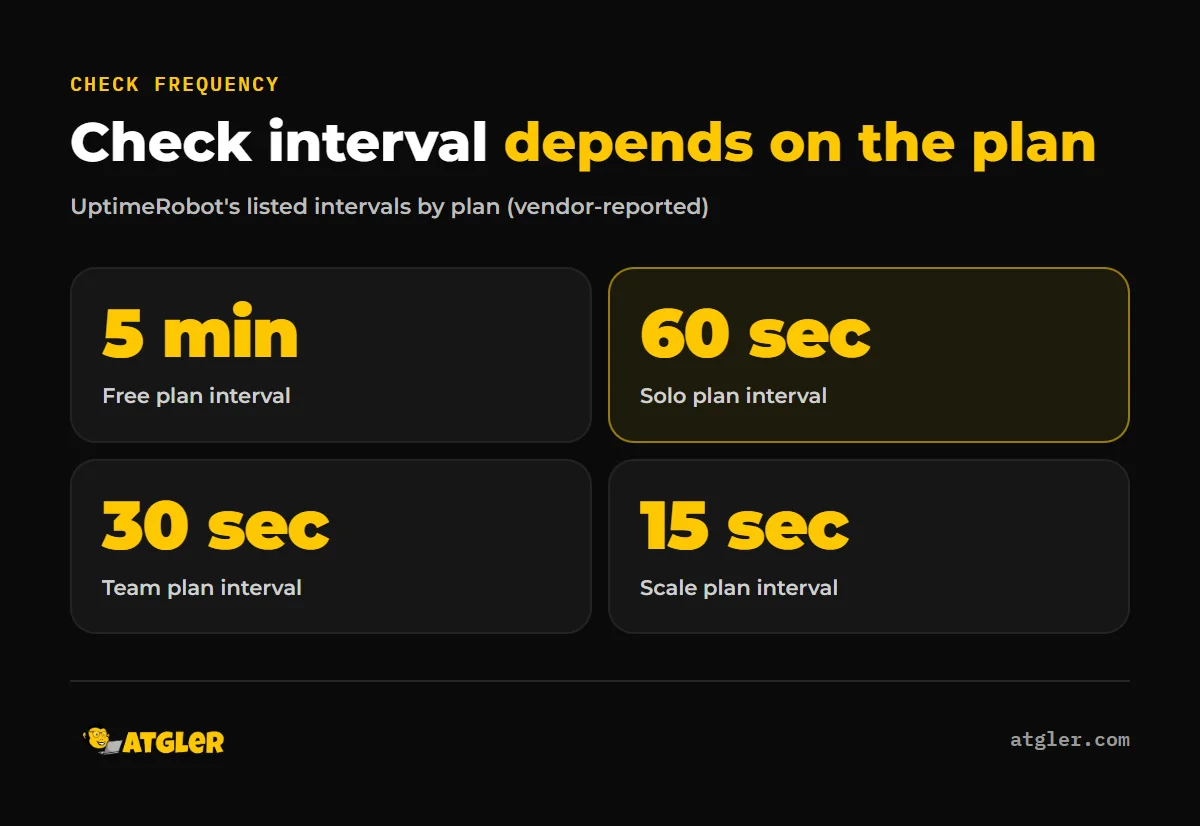
UptimeRobot’s pricing page (modified October 28, 2026) lists 5 minutes on Free, 60 seconds on Solo, 30 seconds on Team and 15 seconds on Scale. Keyword monitoring is included on Free. Plan details change, and UptimeRobot’s own pages disagree on some pricing, so check the current numbers before you buy.
For a small brochure site, a 5-minute check on a free plan is a reasonable start. Free tiers have real limits, though. There are no SMS or voice credits included, and SSL checks don’t run on Free HTTPS monitors. If the site takes orders or leads around the clock, price out a faster interval and a paid channel. Just remember the interval is a plan limit, not a rule.
Who gets the alerts
At least two people, through at least two channels. A single inbox is a single point of failure, especially when its owner is on holiday or the email lands in spam.
On UptimeRobot’s pricing page, email, SMS, voice call and Email2SMS are available on all plans. Free includes no SMS or voice credits (you can buy them) and caps you at 5 integrations. Slack, Telegram, MS Teams and Mattermost start at Solo. Webhook, Zapier and PagerDuty start at Team. So how a downtime alert reaches you depends on the plan.
Our usual setup: an email to the site owner, a second contact such as a developer or agency, and a phone-based channel for sites where an hour of downtime hurts. Better Stack’s documentation mentions on-call escalation settings during setup but doesn’t describe the timing, so ask the vendor about that.
Keeping the alerts themselves alive
Monitoring can fail too, so test it on a schedule. We’ve seen this firsthand: a backup plugin silently disconnected, and that stopped both the backups and the downtime alerts. The site was found hacked later.
No vendor documents why alerts stop working, so this list comes from our experience:
- Attach every alert contact to every monitor, and confirm each email address or phone number is verified.
- Send a test alert after setup, and again after any change to plans, domains or contacts.
- Look for paused monitors whenever you review the dashboard.
- Keep a second person on the alert list and make sure they know what the message looks like.
- Remember a new heartbeat stays Pending until its first ping, so a job that never starts won’t alert until you’ve seen at least one ping arrive.
A heartbeat alert fires on a missing ping, not on an error message, so it can’t tell you why the job failed. Our WordPress maintenance checklist includes a periodic check that alerts and backups still work.
Site Health won’t watch your site for you
Site Health (Tools > Site Health) is a diagnostic screen. It isn’t an external service that checks your site over time or sends alerts.
The WordPress.org documentation says the Status tab groups its findings into critical issues, recommended improvements and passed tests. The Info tab is read-only: “the screen only contains information. So, you cannot configure any of the settings from it.” Nothing there mentions alerts, and WordPress.org doesn’t say how often the tests run.
Open it anyway when something seems off. If it reports failing loopback requests, the WordPress developer documentation says WordPress uses loopbacks to start WP-Cron, and it suggests checking plugin or theme conflicts first, then hosting-level blocks. If the whole site is down with a blank page or a critical error message, see our guides on the white screen of death and the critical error message.
If you’d rather hand it off
Our website care plans include uptime monitoring with prompt investigation of downtime, weekly updates, a check that the site works after each update and a short monthly report. Plans start from $99 a month, month to month. If you want to compare options first, our WordPress maintenance cost and plans guide explains what you pay for.
Frequently asked questions
Is a free uptime monitor enough for a WordPress site?
For a simple site, often yes as a starting point. UptimeRobot’s Free plan lists 5-minute checks and keyword monitoring, but it does not check SSL certificates on HTTPS monitors and includes no SMS or voice credits.
Do short outages or 5xx errors hurt my Google rankings?
Google’s documentation says 5xx and 429 errors make crawlers slow down, and URLs that persistently return server errors are removed from the index. It does not give a time limit, and crawling gradually recovers once the server returns 2xx responses.
Why does my monitor say the site is up when checkout is broken?
A basic check only confirms that one URL responded. Adding a keyword check on the checkout or another key page, or monitoring that page directly, can catch cases a homepage check misses.
Why does Site Health say my site could not complete a loopback request?
A loopback request is when WordPress tries to connect back to its own site, and WordPress uses it to start WP-Cron. The developer documentation suggests checking for plugin or theme conflicts first, then hosting-level blocks.
Does Site Health replace an uptime monitoring service?
No. WordPress.org describes Site Health as an information and diagnostics screen that you cannot configure, and it does not describe sending alerts.
Sources
- WordPress.org Documentation: Site Health screen (last updated July 12, 2026)
- WordPress Developer Resources: Loopback requests (last updated October 14, 2026)
- WordPress Plugin Handbook: Cron (last updated December 14, 2023)
- Google Search Central: How HTTP status codes, and network and DNS errors affect Google Search (no date shown on the page)
- Better Stack: Keyword monitor (vendor-reported documentation, no page date)
- Better Stack: Cron and heartbeat monitor (vendor-reported documentation, no page date)
- UptimeRobot: Cron job monitoring (vendor-reported, no date shown)
- UptimeRobot Help Center: Monitor SSL certificate expiration & errors with UptimeRobot (modified October 21, 2026, vendor-reported)
- UptimeRobot: Pricing (modified October 28, 2026, vendor-reported)