
On this page
- Key takeaways
- Update, refresh or website redesign: what’s the difference?
- Sign 1: Your website redesign need starts on mobile
- Sign 2: Speed fails even after tuning
- Sign 3: Leads or sales dropped and traffic didn’t
- Sign 4: You can’t update or extend it easily
- Sign 5: Your business changed but your site didn’t
- Sign 6: Maintenance and security debt keeps piling up
- Sign 7: Visitors can’t find things
- Sign 8: It no longer looks credible
- How to decide on a website redesign: a quick scorecard
- What does a website redesign cost?
- How to redesign a website without losing your SEO
- Frequently asked questions
A WordPress site needs a website redesign when structure, design or technology is holding it back in ways no amount of patching can fix. If it only needs plugin updates, faster hosting or a content refresh, an update is enough. Confusing the two is costly: you either pay for a redesign you didn’t need or keep patching a site that has stopped bringing in customers.
This guide gives you eight concrete signs that a WordPress site needs a redesign, how to check each one with free tools, and how to decide between an update, a refresh and a full rebuild. If you’re also wondering what it will cost, see our WordPress website cost guide.
Key takeaways
- The article separates an update, a refresh, a full redesign and a rebuild, noting that confusing them means paying for a redesign you did not need or patching a site that stopped bringing customers.
- Eight signs point to a redesign, including poor mobile experience, failing Core Web Vitals after tuning, falling leads despite steady traffic, hard-to-edit foundations, outdated messaging, security debt, poor navigation, and a dated look.
- Google’s Core Web Vitals good thresholds are an LCP of 2.5 seconds or less, an INP of 200 milliseconds or less and a CLS of 0.1 or less, for 75% of real visits.
- According to php.net, only PHP 8.2 and newer still receive security fixes, and the article says that unsupported PHP, abandoned plugins or repeated hacks can point to a rebuild.
- Atgler’s redesign packages cost $799 for Refresh, $1,499 for Full Redesign and $2,999 for Complete Rebuild, and protecting SEO means benchmarking first, keeping URLs, using 301 redirects, and building on a noindex staging site.
Update, refresh or website redesign: what’s the difference?
| Option | What it fixes | Typical signs it’s enough |
|---|---|---|
| Update | Outdated plugins, themes, PHP, security and small content changes | The site works and looks fine, but maintenance has slipped |
| Refresh | A modern look and better mobile layout on the same structure | The structure and content are sound, the design feels dated |
| Full website redesign | Structure, navigation, messaging, design and speed together | The site doesn’t support how customers find and choose you |
| Rebuild | The platform, theme or architecture itself | The foundation can’t support features, speed or security you need |
Sign 1: Your website redesign need starts on mobile
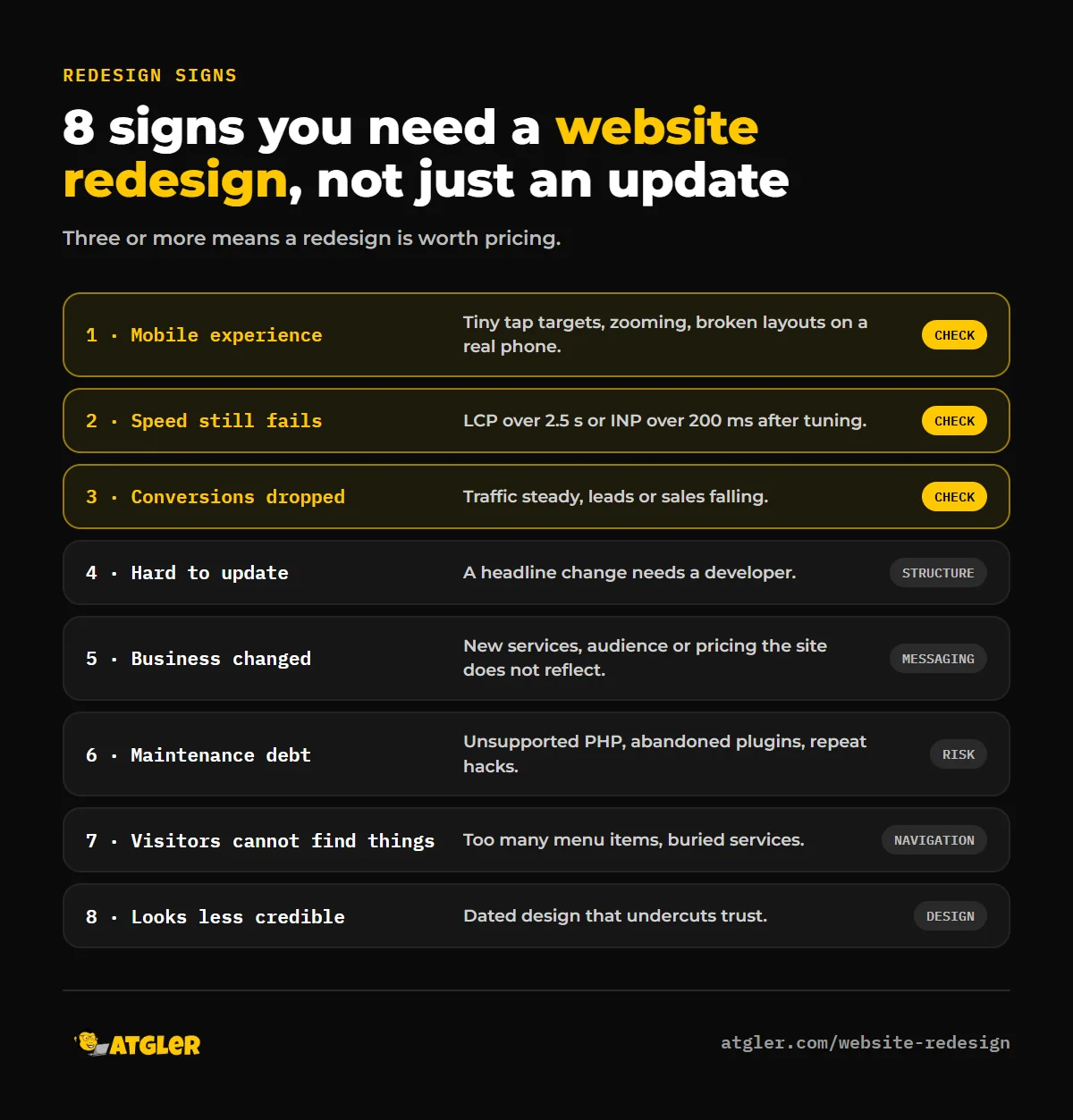
Google uses the mobile version of your content for indexing and ranking, which is called mobile-first indexing. Its documentation recommends responsive design and says the mobile version should have equivalent content, headings, structured data and metadata as the desktop one. If your site was designed desktop-first and patched for phones, you’ll often see tiny tap targets, text you have to zoom, hidden sections or a layout that breaks. How to check: open your site on a real phone, and try to contact you, find your pricing and complete a form using only your thumb.
Sign 2: Speed fails even after tuning
Google’s Core Web Vitals “good” thresholds are an LCP of 2.5 seconds or less, an INP of 200 milliseconds or less and a CLS of 0.1 or less, for 75% of real visits. If you’ve already tried caching, image optimization and plugin cleanup, and the site still fails, the cause may be the theme or builder itself. How to check: run PageSpeed Insights and look at the field data section. Our guide to why WordPress sites are slow covers what to try first, and what to do when nothing works.
Sign 3: Leads or sales dropped and traffic didn’t
If visitors still arrive but enquiries, bookings or orders have fallen, the problem is usually the experience, not the traffic. Compare the last 12 months of conversions with sessions in Google Analytics, and check which pages visitors leave. A site can hold steady traffic while losing the visitors who matter. How to check: look at form submissions per 100 visits, by device. A large gap between mobile and desktop points at a mobile experience problem.
Sign 4: You can’t update or extend it easily
If changing a headline needs a developer, your theme or page builder is abandoned, or every new feature feels like a hack, the foundation is working against you. This often goes with plugin sprawl and old custom code that nobody understands. How to check: ask who can safely edit the site today. If the honest answer is “no one,” that’s a structural sign.
Sign 5: Your business changed but your site didn’t
A new service line, new audience, new pricing or a rebrand makes the old structure wrong, even if the site is technically healthy. If your navigation and messaging describe the business you were three years ago, patching won’t fix it. How to check: read your homepage as a stranger. Does it say what you do now, who it’s for and what to do next?
Sign 6: Maintenance and security debt keeps piling up
An unmaintained site is a security risk, and some problems point to a rebuild rather than another round of updates: unsupported PHP that plugins won’t run on, abandoned plugins with no replacement, or repeated hacks. According to php.net, only PHP 8.2 and newer still receive security fixes, and WordPress recommends hosting on PHP 8.3 or greater. See what happens if you never maintain your site and what to do if it’s hacked.
Sign 7: Visitors can’t find things
If your menu has too many items, key services are buried or search results show the wrong pages, the information architecture needs rethinking. Look at which pages get traffic and which paths lead to your contact page. How to check: ask a few people to find a specific service or price, and watch where they get stuck.
Sign 8: It no longer looks credible
Dated design isn’t only cosmetic. If your site looks less trustworthy than competitors’, visitors may leave before reading a word. This is the sign most likely to be fixed by a refresh rather than a full rebuild, provided the structure is sound.
How to decide on a website redesign: a quick scorecard
| Your findings | Likely answer |
|---|---|
| Only maintenance and speed issues, the layout is fine | Update and optimize |
| Dated look, but structure and content are fine | Refresh |
| Mobile problems, weak conversions and messaging that’s out of date | Full website redesign |
| Abandoned theme or builder, unsupported PHP, features you can’t add | Rebuild |
If you tick three or more of the eight signs, a redesign is probably worth pricing.
What does a website redesign cost?
Costs depend on page count, features and integrations. Our published redesign packages are one-time fees: Refresh $799 (a 5-page redesign with a design audit and content migration), Full Redesign $1,499 (up to 10 pages, with speed work, schema and tracking) and Complete Rebuild $2,999 (up to 30 pages, with integrations and a staged rollout). A typical project takes 3 to 4 weeks and is built on a staging site while your current site stays live.
How to redesign a website without losing your SEO
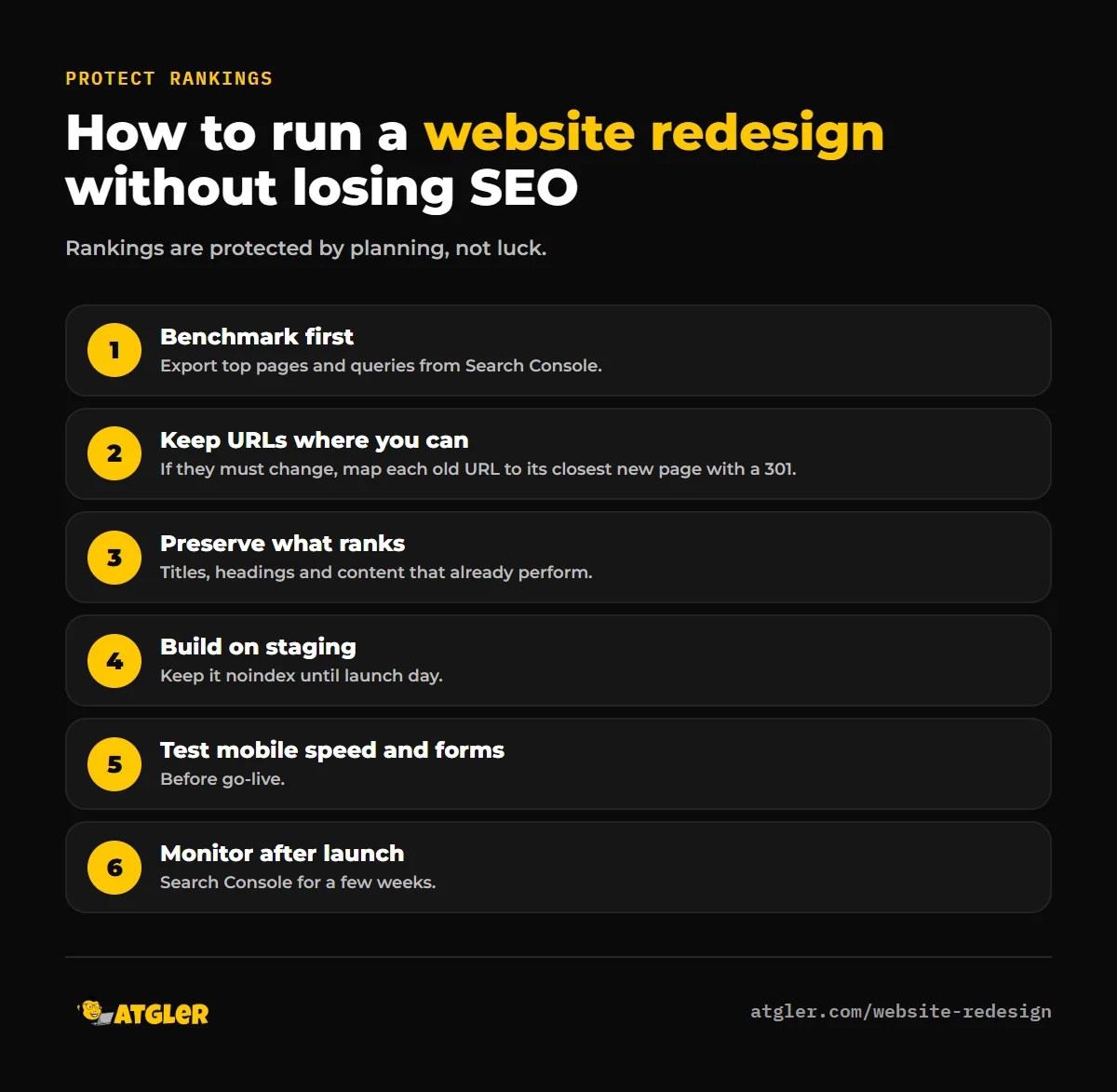
A redesign can hurt rankings if URLs, titles and content change carelessly. To protect them:
- Benchmark first. Export your top pages and queries from Search Console.
- Keep URLs where you can. If URLs must change, map each old URL to its closest new one with a 301 redirect.
- Preserve what ranks: page titles, headings and content that already perform.
- Build on staging, set to noindex, and remove that setting only at launch.
- Test mobile speed and forms before go-live.
- Monitor after launch in Search Console for a few weeks.
Our guide on how to migrate a WordPress site without losing rankings covers the technical details, and it applies to redesigns too.
Frequently asked questions
How do I know if my website needs a redesign?
Look for mobile problems, failing Core Web Vitals, falling conversions, difficulty updating the site, outdated messaging, security debt and navigation problems. Three or more usually means a redesign is worth considering.
How often should a website be redesigned?
There’s no fixed schedule. Many businesses refresh every few years, but the right trigger is evidence: declining performance, changed business needs or technical limits, not the calendar.
Will a website redesign hurt my SEO?
It can if URLs and content change without redirects or planning. Done carefully, with 301 redirects, preserved titles and monitoring, a redesign often improves performance. Temporary fluctuation is normal.
Is a website redesign the same as a rebuild?
Not always. A redesign changes how the site looks and is organized, often on the same platform. A rebuild replaces the underlying theme, builder or architecture.
How long does a website redesign take?
Small to medium sites typically take a few weeks. Ours usually take 3 to 4 weeks, built on a staging site so your current site stays live meanwhile. Larger sites with integrations take longer.
Can I redesign my site myself?
Yes, if your needs are simple and you have the time. For sites that drive leads or sales, the risk of losing rankings or conversions usually justifies professional help.
Sources
- Google Search Central: Mobile-first indexing best practices
- web.dev: Web Vitals
- PHP: Supported versions; WordPress.org: requirements
- Atgler: Website Redesign (prices as published October 30, 2026)