
On this page
- Key takeaways
- WordPress site not ranking: start with the right question
- Step 1: WordPress site not ranking? Check whether Google has indexed your pages
- Step 2: Check for security and manual action problems
- Step 3: Why a WordPress site not ranking often means a content problem
- Step 4: Check that you’re aiming at the right keywords
- Step 5: Look for technical and experience problems
- Step 6: A WordPress site not ranking high enough to earn clicks
- Step 7: A WordPress site not ranking after a drop: find what changed
- WordPress site not ranking: symptoms, causes and fixes
- “Doing SEO” mistakes that stall rankings
- When should you get professional help?
- Frequently asked questions
A WordPress site not ranking even though you’ve “done SEO” usually has one of a handful of causes: Google can’t index the pages, the content doesn’t match what searchers want, the topic is too competitive for a young site, or there’s a technical or security problem hiding in Search Console. The fix starts with diagnosis, not more keywords.
This guide gives you a step-by-step way to find out why, using free tools and Google’s own documentation, plus a table that maps common symptoms to likely causes. If you haven’t covered the fundamentals yet, start with our WordPress SEO basics checklist.
Key takeaways
- A WordPress site not ranking usually has one of a few causes: indexing problems, content that misses searcher intent, too much competition, or a hidden technical or security problem.
- Work out whether your pages are not indexed, indexed but invisible, ranking but not clicked, or dropped, because each case has a different fix.
- Use the site: search and Search Console’s URL Inspection tool to check indexing, and look at Security & Manual Actions for hacks or spam warnings.
- Google says its ranking systems prioritize helpful, reliable content made for people, and warns against thin summaries, mass content on many topics and heavy reliance on automation.
- For drops, compare dates in Search Console against redesigns, migrations, plugin updates, hacks or Google updates, and target specific queries in positions 8 to 20.
WordPress site not ranking: start with the right question
“Not ranking” can mean four different things, and each has a different fix:
- Not indexed: Google doesn’t have your pages at all.
- Indexed but invisible: your pages are in Google but sit on page 5 or lower for the searches you care about.
- Ranking but not clicked: you appear, but few people click.
- Dropped: you used to rank and don’t now.
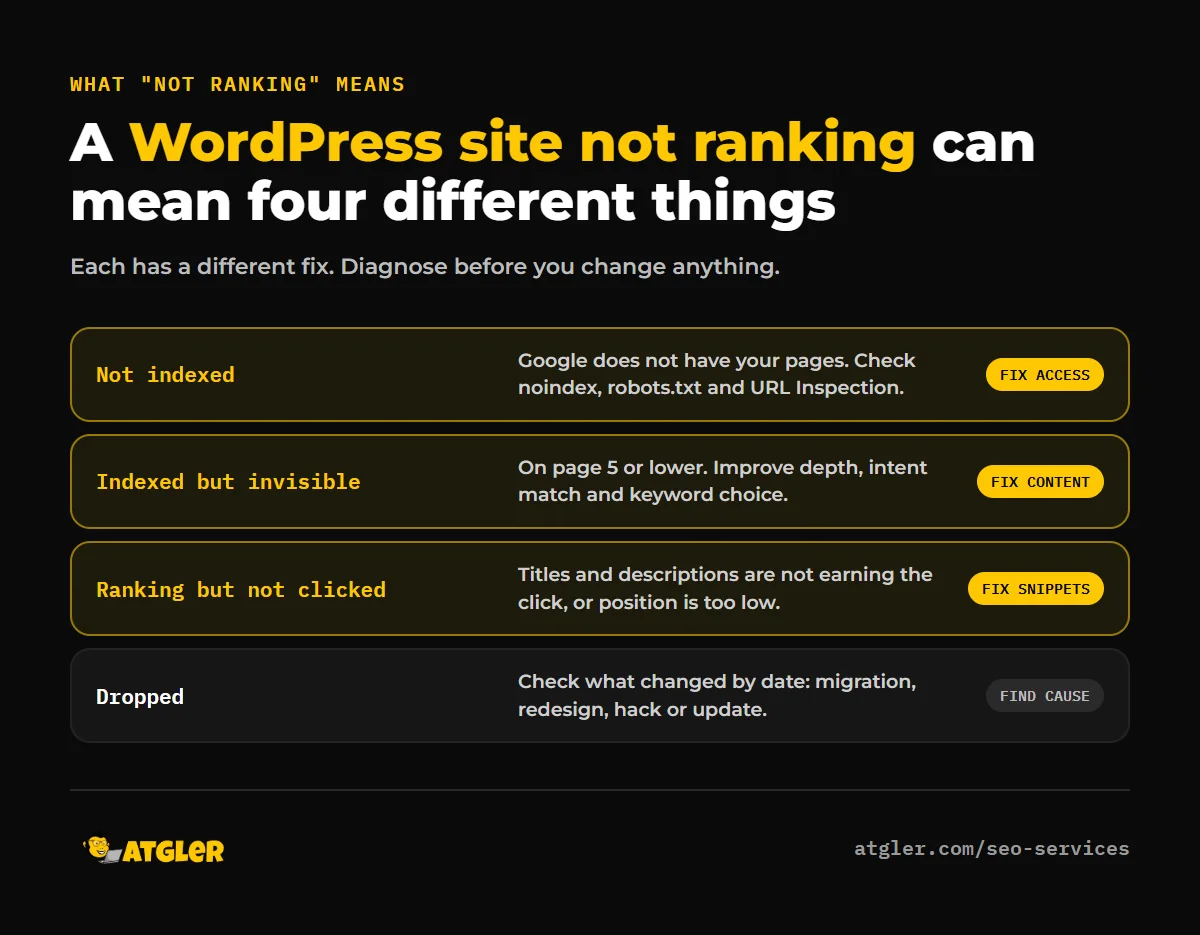
Work out which one you have before changing anything.
Step 1: WordPress site not ranking? Check whether Google has indexed your pages
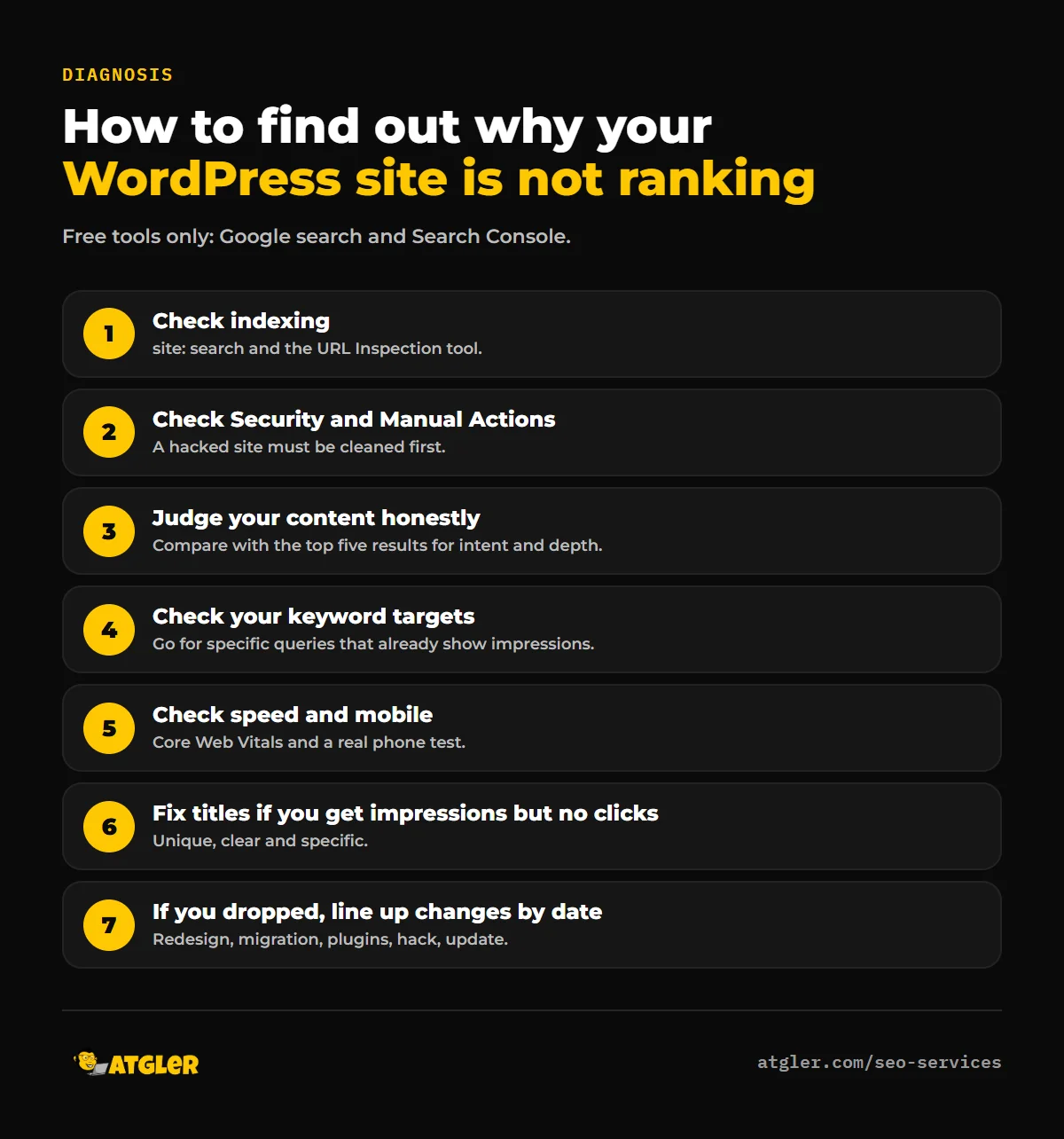
Search site:yourdomain.com in Google, which Google’s guide suggests for checking whether your site is indexed. Then open Search Console and use the URL Inspection tool on your most important pages. It shows whether a page is indexed, and why not if it isn’t. Common reasons:
- “Discourage search engines” is ticked in Settings → Reading.
- A “noindex” tag from an SEO plugin or theme setting.
- A
robots.txtrule blocking the page. - The page is new and hasn’t been crawled yet, or has no links pointing to it. Google says it finds most pages by following links.
- Google chose a different URL as the canonical version.
Step 2: Check for security and manual action problems
In Search Console, look at the Security & Manual Actions section. A hacked site, injected spam pages or malware can cause warnings in search results and tank your visibility. If you see anything there, follow our hacked site recovery guide first. No amount of SEO helps while the site is compromised.
Step 3: Why a WordPress site not ranking often means a content problem
This is where most sites that “do SEO” actually fall short. Google’s guidance on helpful content says its ranking systems prioritize helpful, reliable content made for people. It suggests asking whether your content offers original information, research or analysis, covers the topic completely, and would be bookmarked or shared. It also warns against producing a lot of content on many topics just to chase search traffic, relying heavily on automation, summarizing other sources without adding value, and promising answers that don’t exist.
A practical test: search your target keyword and read the top five results. If they’re more detailed, more current, better sourced or more clearly written than your page, that’s your answer. Match the type of page too. If every result is a comparison table and yours is a sales pitch, you’re answering a different question.
Step 4: Check that you’re aiming at the right keywords
A new or small site rarely outranks established brands for broad terms like “SEO services” or “web design.” Look in Search Console’s Performance report at the queries that already produce impressions. Those are your real opportunities, especially longer, more specific searches. Build pages around them, and strengthen pages sitting in positions 8 to 20, which are close to page one.
Step 5: Look for technical and experience problems
- Speed: Google’s Core Web Vitals targets are an LCP of 2.5 seconds or less, an INP of 200 milliseconds or less and a CLS of 0.1 or less. See why WordPress sites are slow.
- Mobile: Google uses the mobile version of your content for indexing and ranking. Test on a real phone.
- Duplicate or competing pages: several pages targeting the same keyword can split your visibility. Merge or differentiate them, or point them to a single canonical page.
- Broken or thin pages: check Search Console’s page indexing report for errors and “crawled, currently not indexed” pages.
- Weak internal linking: important pages need links from other pages, with descriptive link text.
Step 6: A WordPress site not ranking high enough to earn clicks
Impressions without clicks usually mean your title and description aren’t winning the click, or you’re ranking too low to be seen. Rewrite titles so they’re unique, clear and specific, as Google recommends, and describe the benefit in the meta description. Check which position you hold: below position 10, few people will ever see you.
Step 7: A WordPress site not ranking after a drop: find what changed
Compare dates in Search Console against anything that changed: a redesign, a migration, plugin updates, a site hack, or a Google update. If the drop started right after a site move, check redirects and “noindex” settings first, as covered in our migration guide. If it followed a redesign, compare the old and new titles, headings and URLs.
WordPress site not ranking: symptoms, causes and fixes
| What you see | Likely cause | First fix |
|---|---|---|
Pages missing from site: search | Not indexed: noindex, robots.txt, “Discourage search engines” | Check Settings → Reading and URL Inspection |
| Indexed, but on page 5 or lower | Content not competitive, or keyword too hard | Improve depth and intent match, target specific queries |
| Impressions but few clicks | Weak titles or low position | Rewrite titles and descriptions, improve content |
| Sudden drop | Migration, redesign, hack or algorithm change | Check changes by date, Security and Manual Actions |
| Spam pages or odd redirects | Hacked site | Clean the site, then request a review |
| Several pages target one keyword | Cannibalization | Merge, differentiate or canonicalize |
| Slow or hard to use on mobile | Poor Core Web Vitals and experience | Fix speed, test on real phones |
“Doing SEO” mistakes that stall rankings
- Stuffing keywords. Google says keyword stuffing isn’t a straightforward ranking lever.
- Publishing lots of thin posts. Many weak pages don’t add up to one strong one.
- Copying competitors. A page that repeats what exists adds nothing to rank for.
- Ignoring intent. A page can mention the keyword and still answer the wrong question.
- Buying cheap links. Links from spammy sources can hurt more than help.
- Expecting quick results. Google doesn’t guarantee rankings, and new content takes time to be crawled and evaluated.
- Never checking Search Console. It tells you exactly what Google sees.
When should you get professional help?
Get a professional look if indexing errors don’t make sense, you suspect a penalty or hack, rankings dropped after a migration, or you’re in a competitive market and need a content and link strategy. Our SEO services start at $499 per month, month-to-month with no lock-in. If your concern is a fix list from Search Console, our team can also give you an instant quote.
Frequently asked questions
Why is my WordPress site not showing up on Google?
The most common causes are that it isn’t indexed (a “noindex” setting, “Discourage search engines” being ticked, or a robots.txt block), it’s brand new, or Google hasn’t found links to it. Check URL Inspection in Search Console.
How long does it take for a new WordPress site to rank?
There’s no guaranteed timeline. Google needs to discover and evaluate your pages, and competitive keywords take longer. Track impressions and positions in Search Console to see progress.
Why do I have impressions but no clicks?
Usually because you rank low on the page, or your title and description don’t earn the click. Improve titles and snippets, and strengthen pages that sit between positions 8 and 20.
Can a hacked site hurt my rankings?
Yes. Spam pages, malware and redirects can trigger security warnings and reduce visibility. Clean the site first, then request a review in Search Console.
Does an SEO plugin guarantee rankings?
No. Plugins like Yoast or Rank Math help you manage titles, sitemaps and technical settings, but rankings depend on content quality, competition and site health.
Should I hire an SEO company if I’m not ranking?
If you’ve covered the basics and diagnosis points to bigger problems, or you lack time for consistent work, it can help. Ask for monthly reporting, no lock-in contracts and clear deliverables, and be wary of anyone guaranteeing rankings.
Sources
- Google Search Central: SEO Starter Guide and Creating helpful, reliable, people-first content
- web.dev: Web Vitals; Google Search Central: Mobile-first indexing
- Atgler: SEO Services (prices as published October 30, 2026)